
Product Description
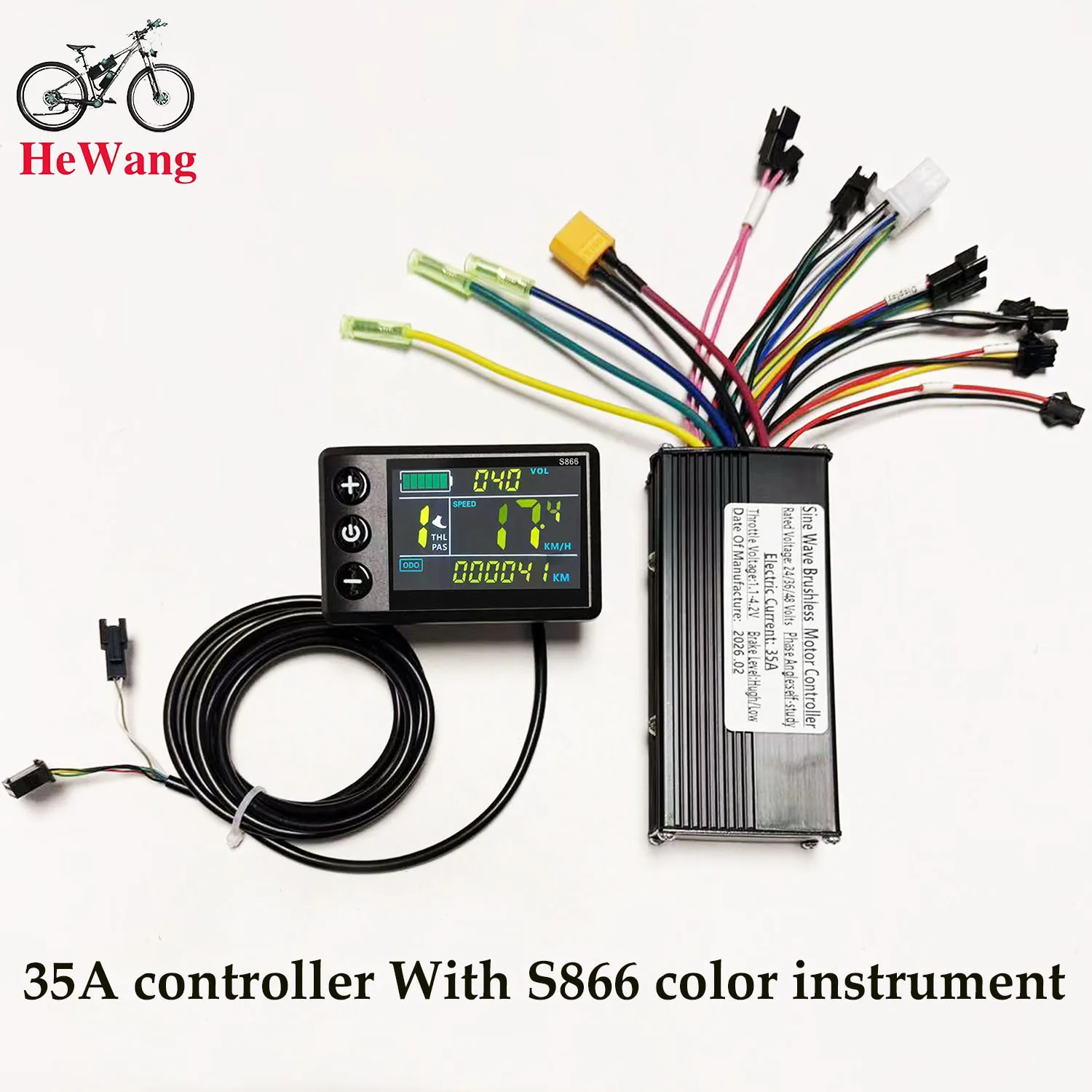
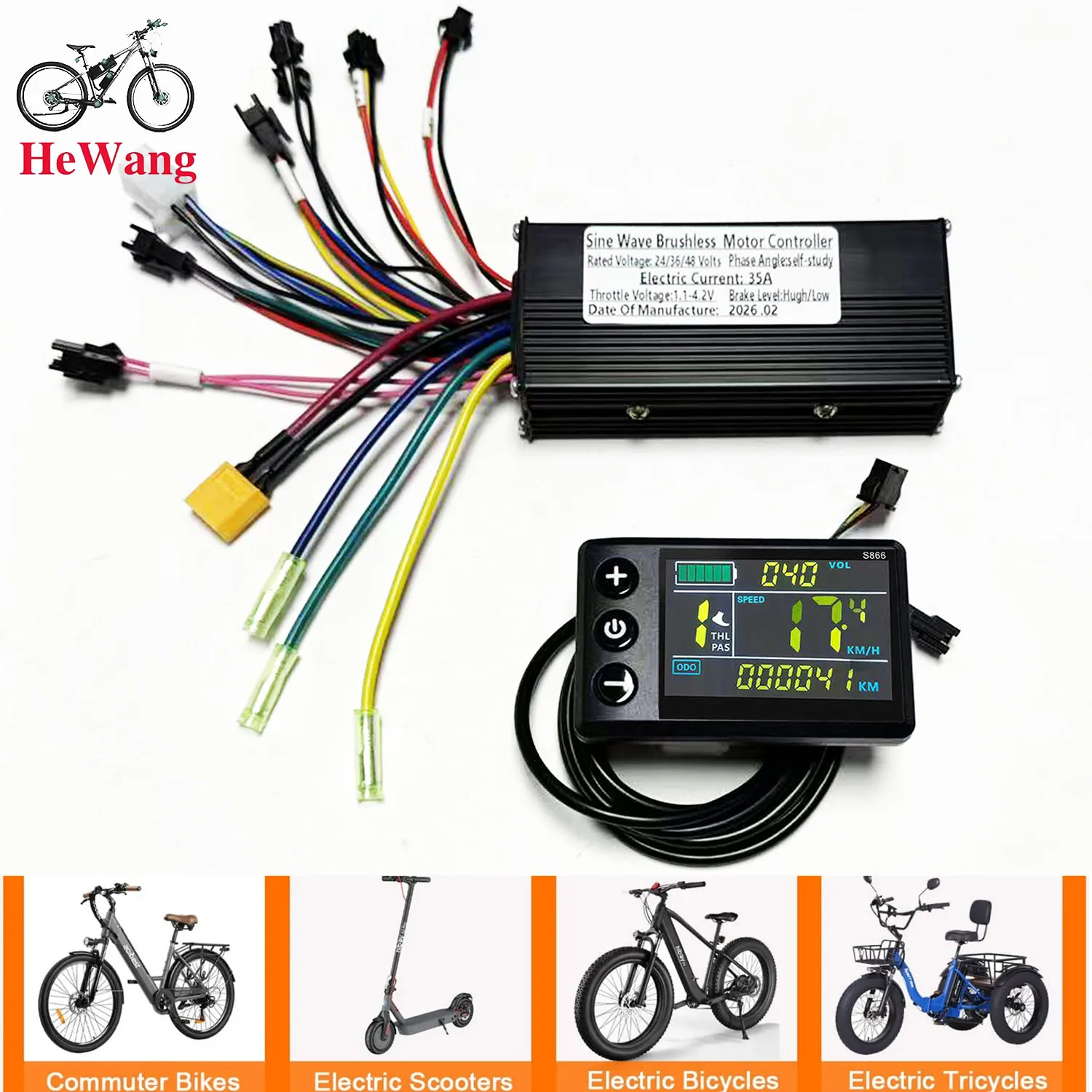
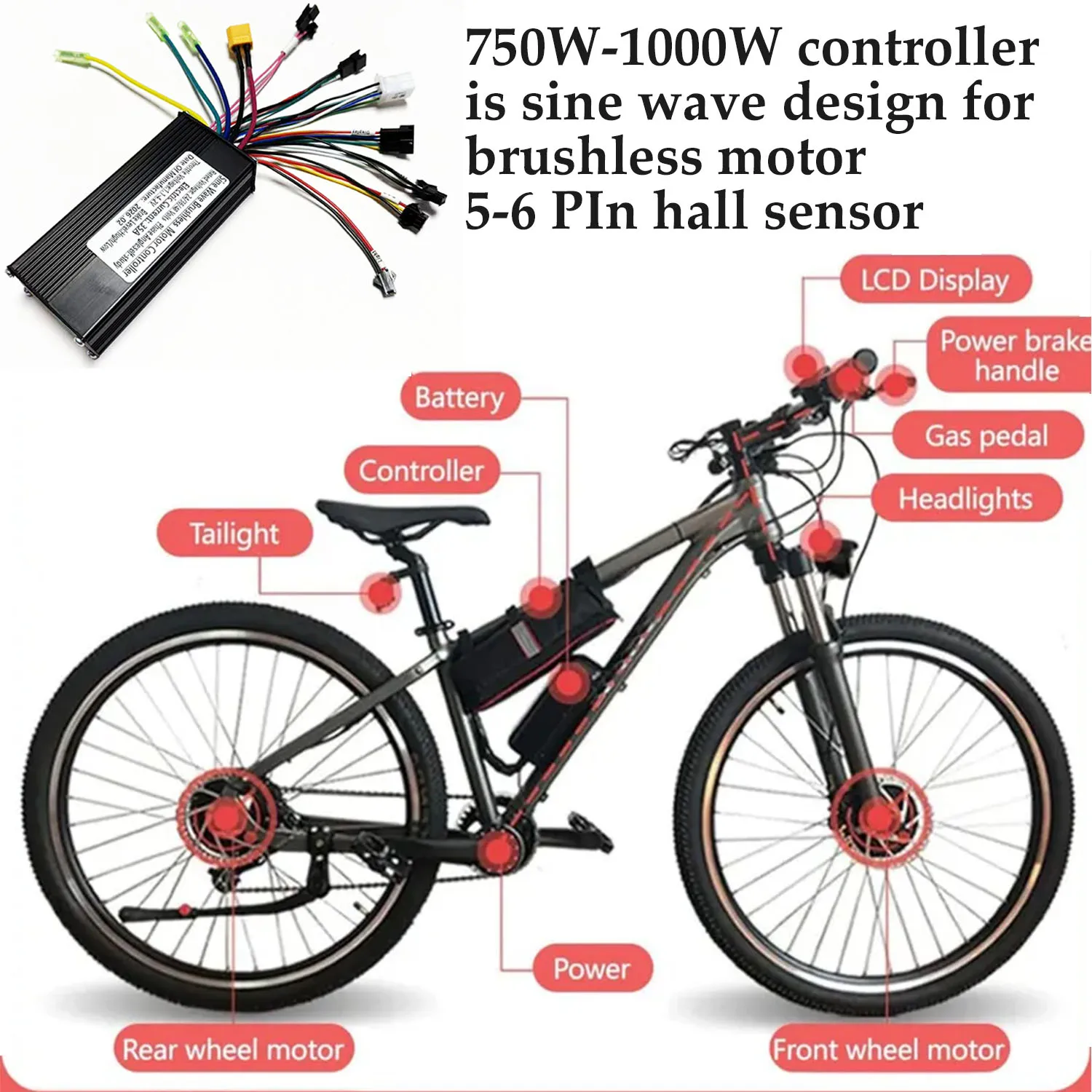
24V 36V 48V 750W-1000W 3-mode Brushless Motor 35A Sine Wave Controller 9mosfet With S866 No.2 UART LCD for E-Bicycle Scooter 24V 36V 48V 750W-1000W 3-mode Brushless Motor 35A Sine Wave Controller 9mosfet With S866 No.2 UART LCD for E-Bicycle Scooter
Note: If error code E10 occurs, it indicates a loose connection at the instrument panel connector. Try unplugging and replugging the cable. Refer to the video website:
https://video.aliexpress-media.com/seller/play/5000376402889.mp4
24V/36V/48V sine wave Brushless motor controller 500W 750W 1000W 35A With S866 No. 2 protocol LCD instrument electric bicycle scooter
24V, 36V, and 48V sine-wave brushless motor controller, 500W-1000W controller, suitable for 6-pin SM connector,protocol 2 instrumentation, e-bikes, lithium-ion scooters, mountain bikes, power-assisted scooters, etc.
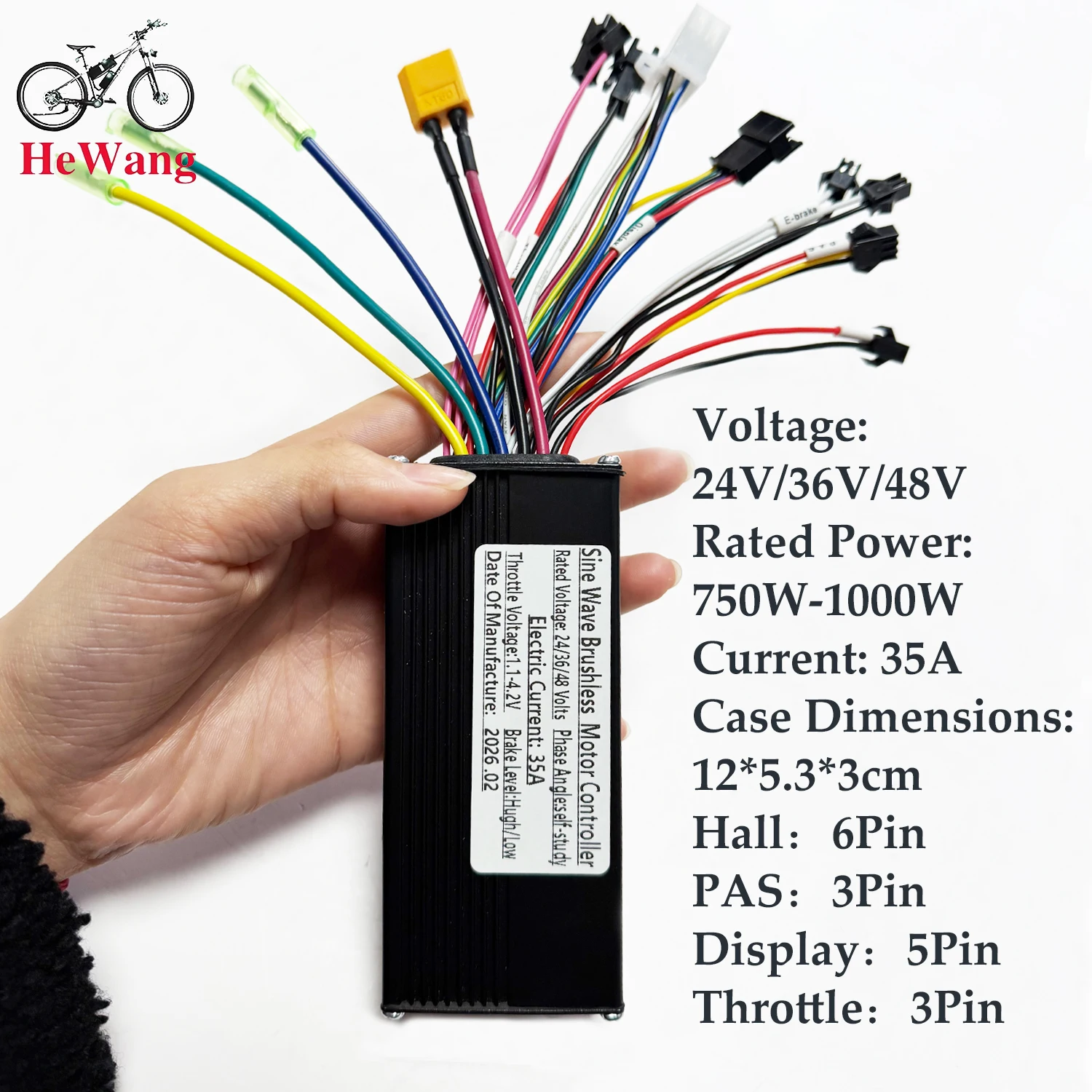
Specifications: 500W-1000W, 24V/36V/48V
Material: Aluminum Alloy
Operating Voltage: 24V/36V/48V
Rated Power: 500W-1000W
Current: 35A
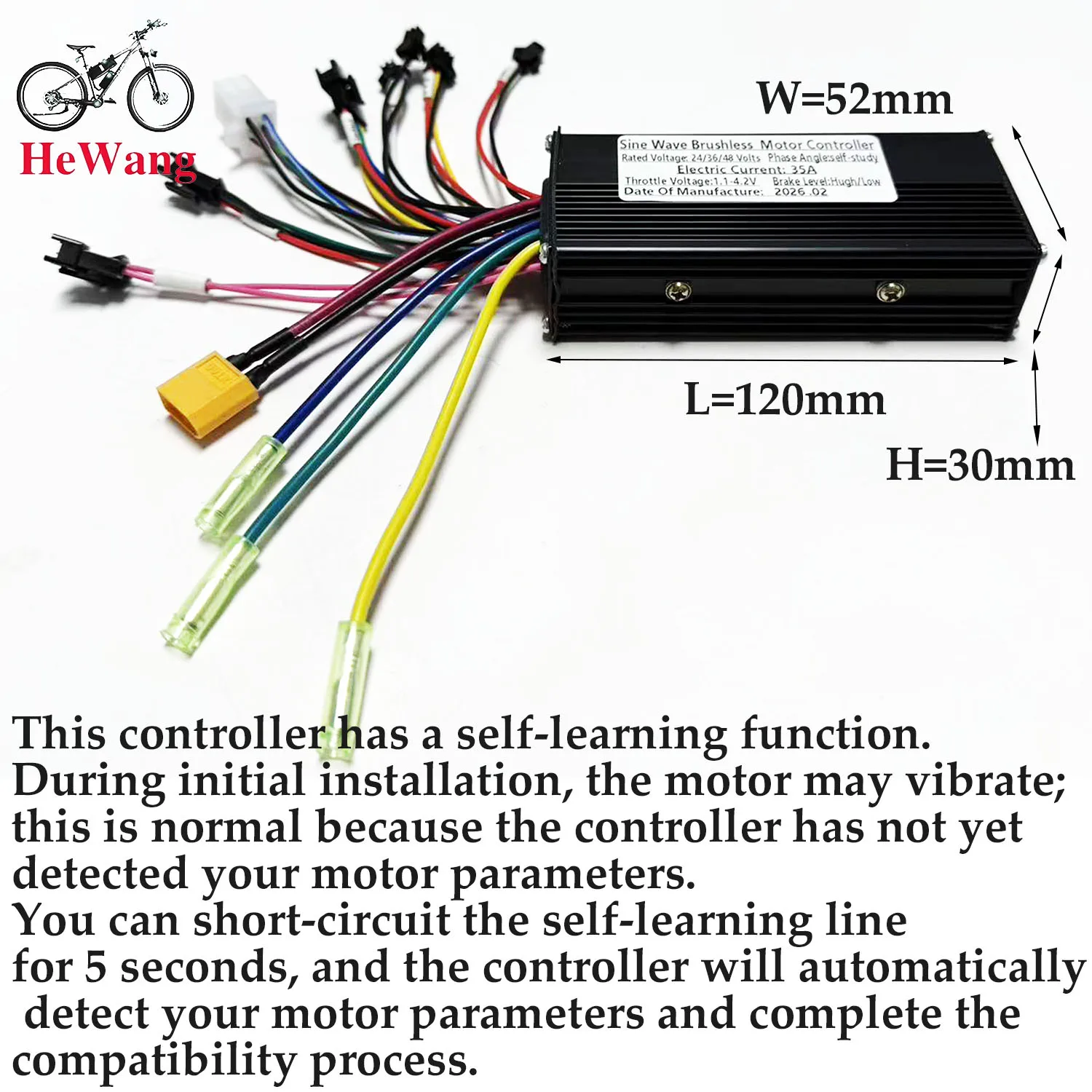
Case Dimensions: 12.5*5*3cm
MOSFET: HY3410
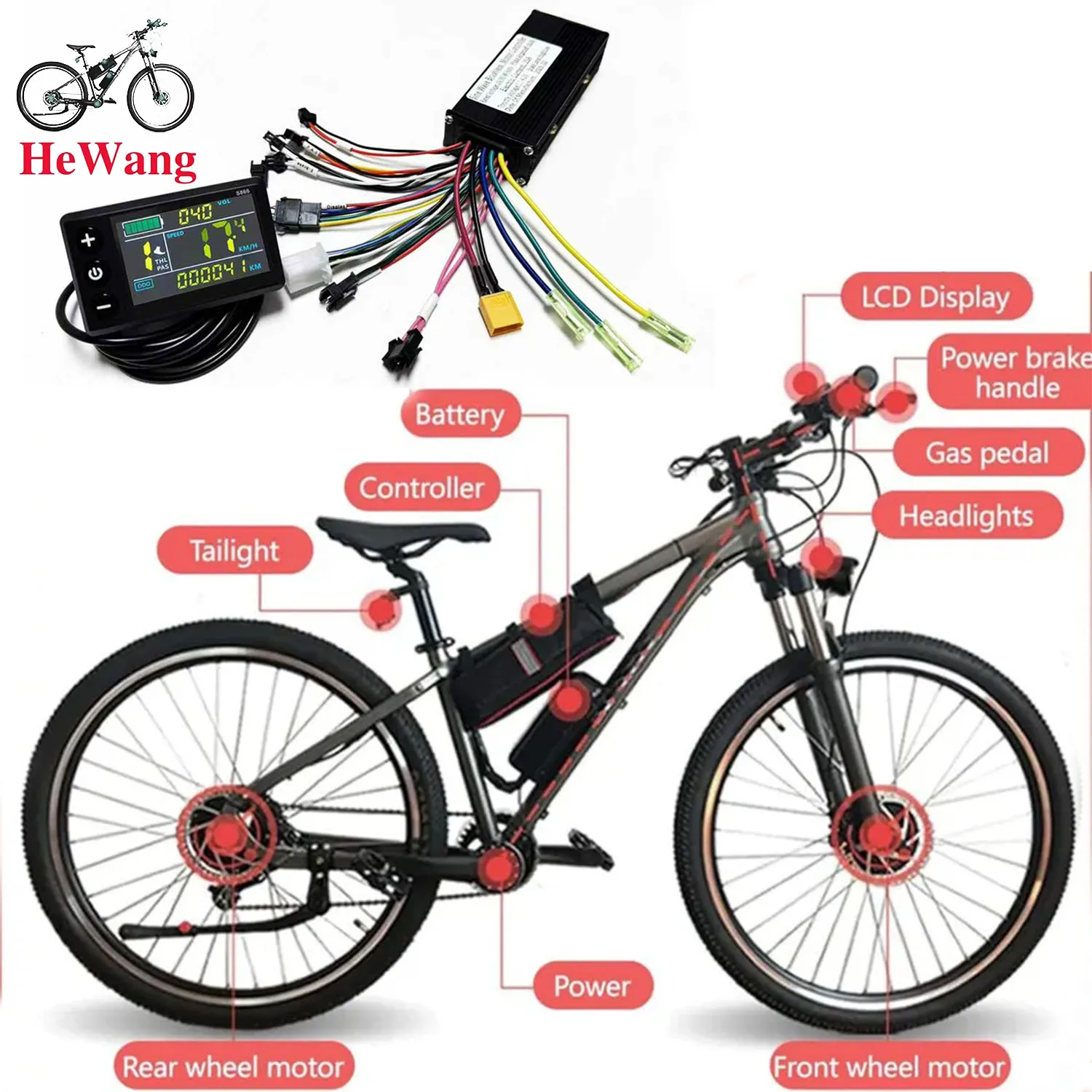
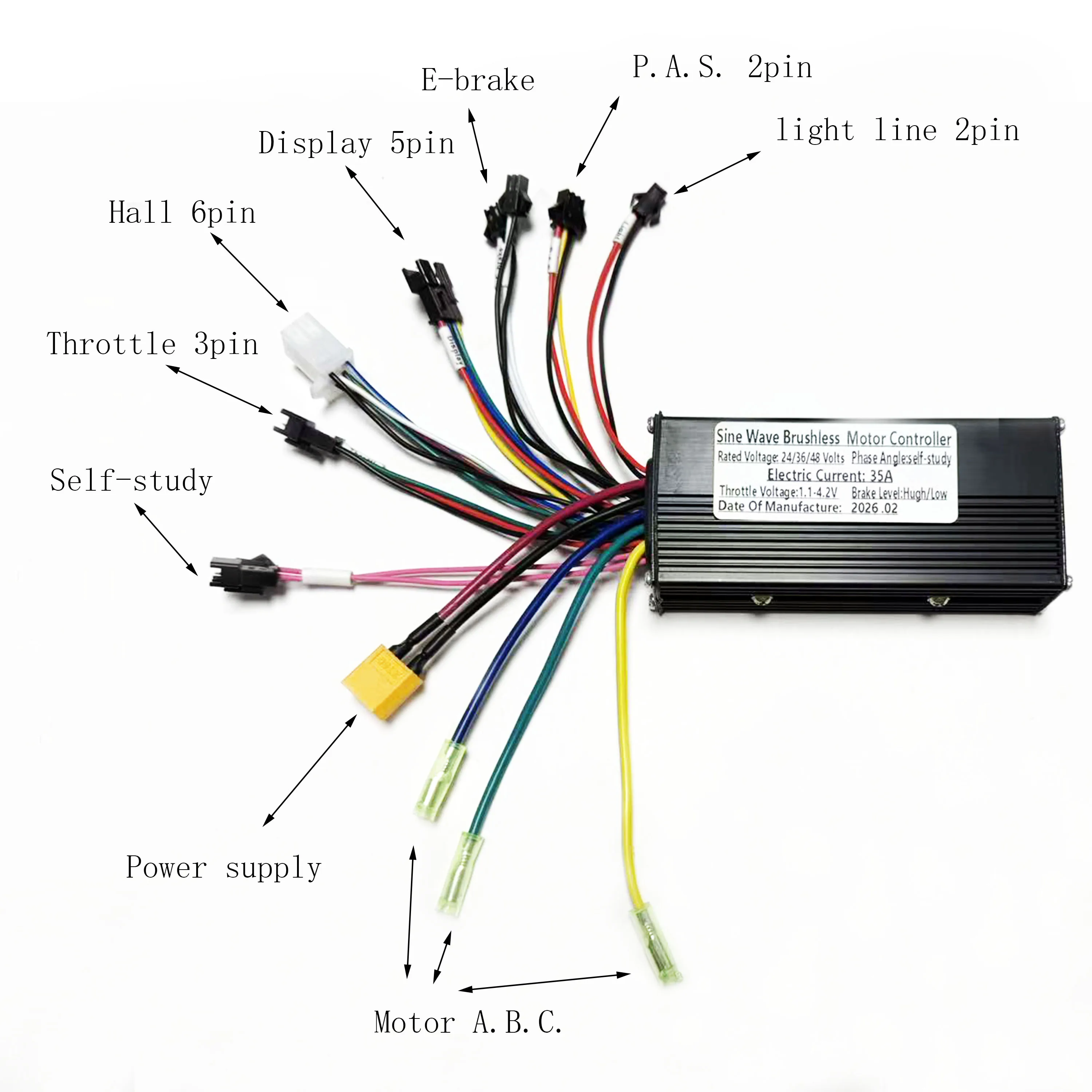
Functions: Headlight Power Supply, Throttle, protocol 2 instrumentation (display), 6-pin Hall Effect sensor, dual low-pressure brake (E-brake), power assist (PAS), self-study
Packing list:
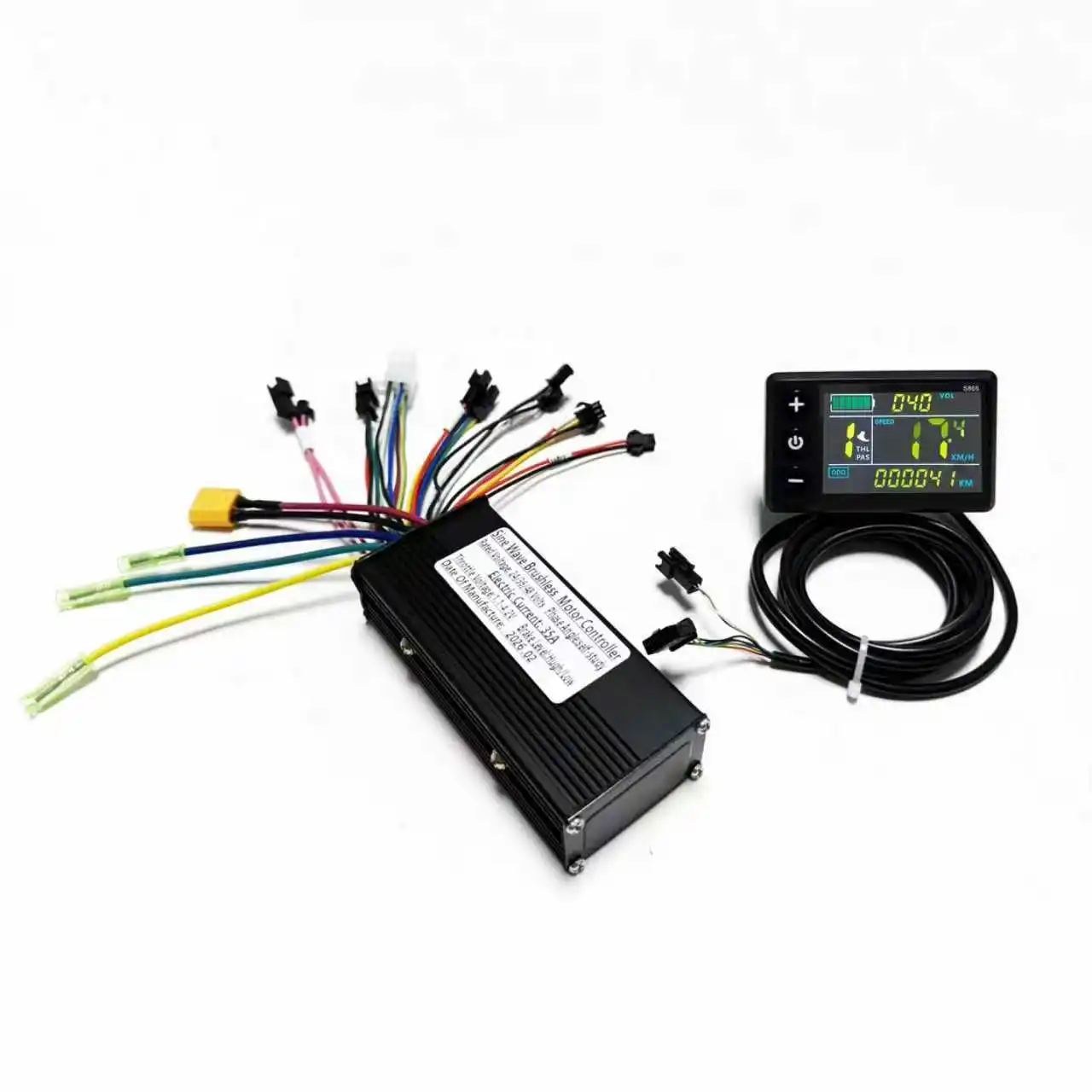
1 x LCD display
1 x controller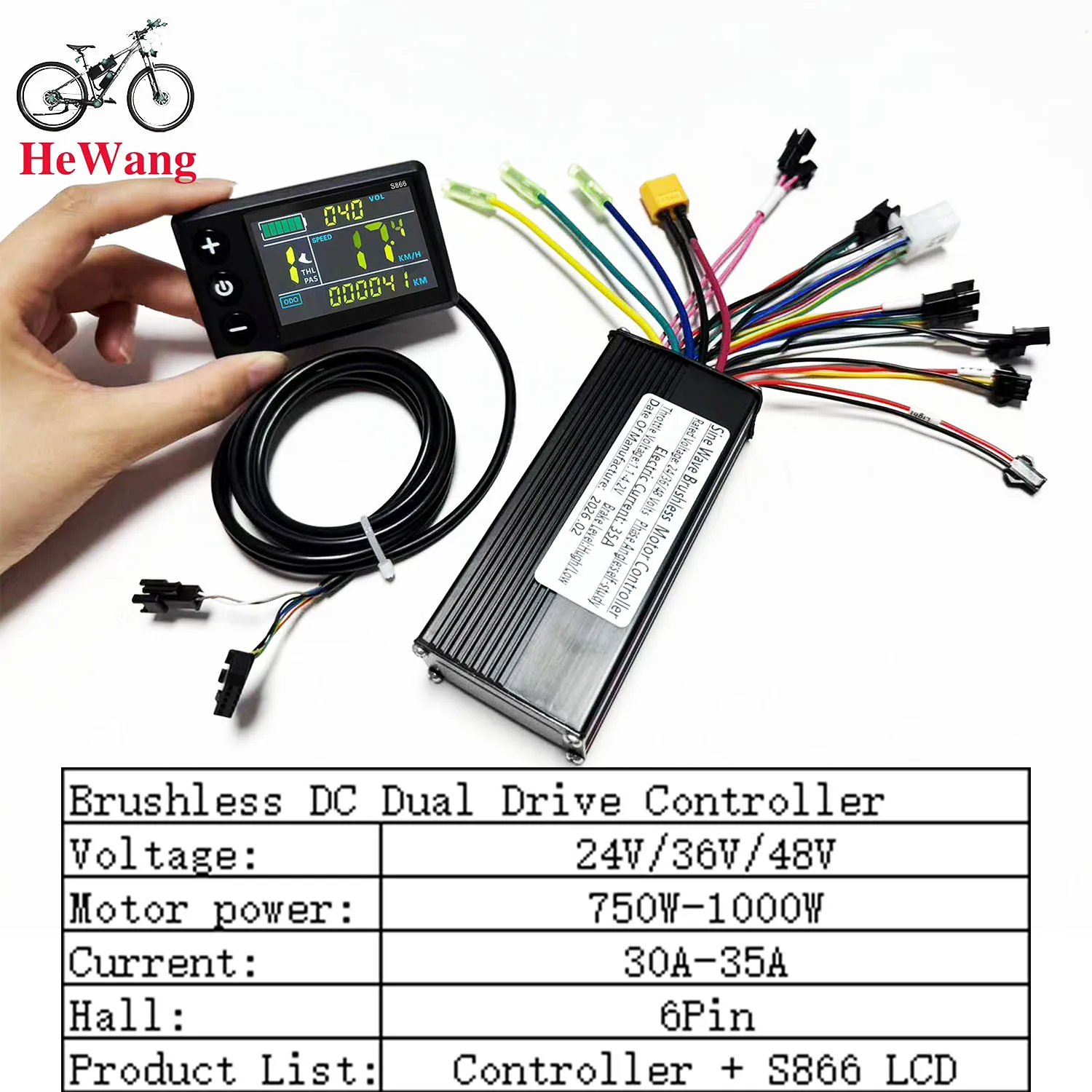 Note:
Note:
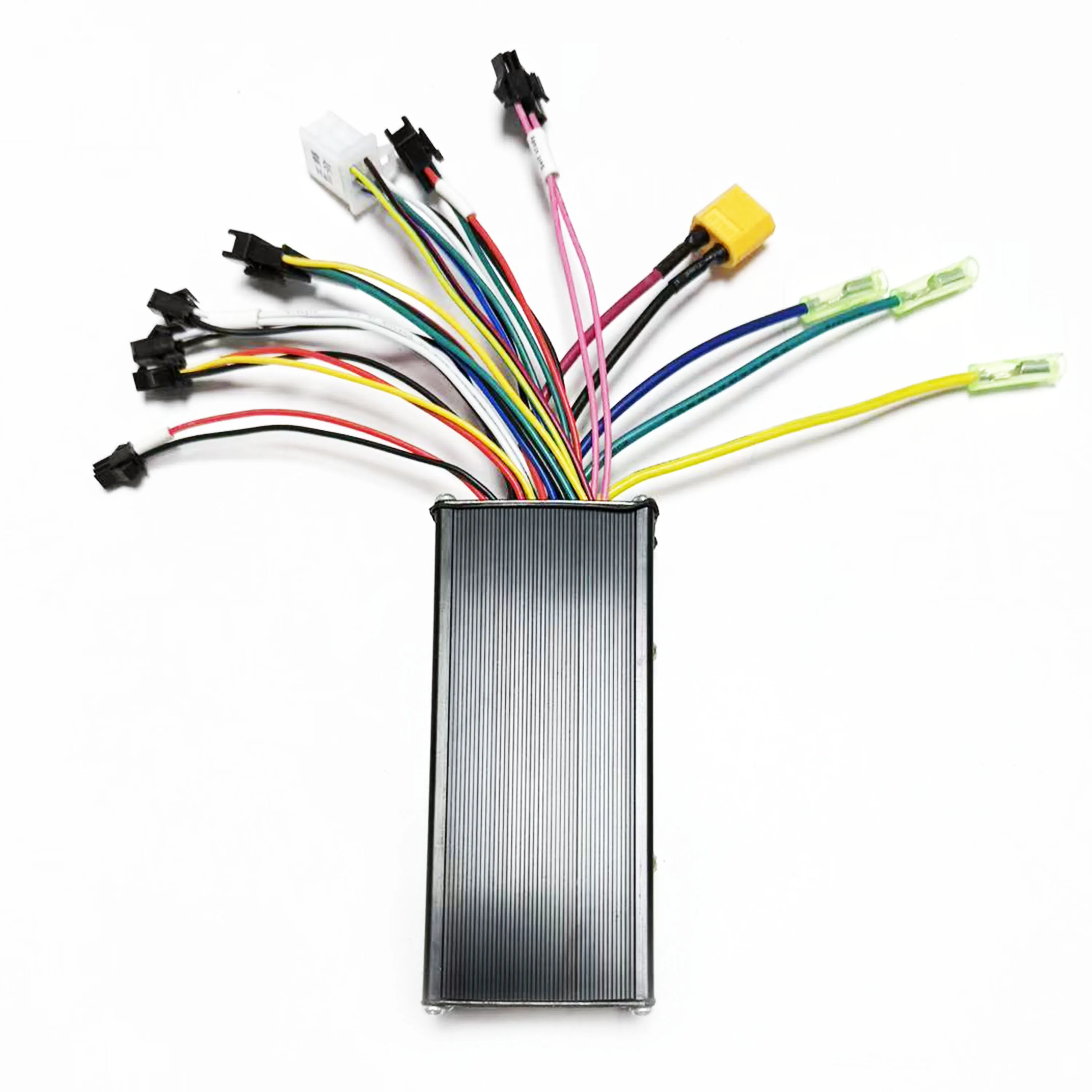
Each cable is marked with different colors for different purposes.
Red (VCC) instrument power line
Blue (K) controller power control line
Black (GND) instrument ground line
Green (RX) instrument data receiving line
Yellow (TX) instrument data sending line
Note:
1. The product power is set to 8 at the factory, which basically corresponds to most split superchargers on the market. If the customer uses an integrated supercharger, please set it to 12.
2. P13 in the manual is the power setting of the product. If the supercharger is incompatible, the customer needs to adjust it to 8 or 12.
3. Please note that the controller model is sent randomly. Please confirm whether you are satisfied before placing an order.
How to use: After getting the product, please be sure to align the phase first: plug in the smart identification line and identify the motor. The identification line is two green lines. After plugging in, pay attention to suspend the car, and the motor will run automatically. At this time, if the direction of rotation of the motor is correct, run for 10 to 15 seconds, disconnect the identification line, if the direction is opposite, disconnect the identification line and plug it back, the motor direction will change to forward, run for another 10 to 15 seconds, disconnect the identification line, and the motor direction will change to forward. Run for another 10-15 seconds, disconnect the identification line, and the motor direction will change to forward. Run for another 10-15 seconds, disconnect the identification line, and it's done. After the identification is completed, the identification line remains disconnected, do not plug it back
Working voltage and wiring method
1. Working voltage: DC24V, 36V, 48V compatible with other voltages can be customized,
2. Wiring method:
Note: The leads of some products use waterproof connectors, and users cannot see the lead color in the harness. Function description:
Function:
1. Display function
Speed display, power indication, fault prompt, total mileage, single mileage2. Control and setting function
Power switch control, wheel diameter setting, idle automatic sleep time setting, backlight brightness setting, startup mode setting, drive mode setting, voltage level setting, controller current limit value setting, 3. Communication protocol: UART All contents of the display screen (full display within 1S after power on)
Display content introduction
3.1 Battery power and BMS remaining power display
3.2 Multi-function display area
Total mileage 0D0, single mileage TRIP (unit: mile, km), single power-on time TIME, battery voltage VOL, DST: endurance mileage
3.3 Speed display area
AVG: average speed, MAX: maximum speed, SPEED: current speed; unit Mp/h, km/h speed signal is taken from the Hall signal in the motor and sent to the instrument through the controller, (time of a single Hall cycle, unit: 1MS) The instrument will calculate the actual speed based on the wheel diameter and signal data (the motor Hall also needs to set the number of magnetic steels),
3.4 Vehicle power gear adjustment, 0-9 gear digital display and gear bar display;
3.5 Vehicle status display area
Motor fault;: Fault;: Brake prompt;: Headlight on prompt:
3.6 Vehicle status code table:
Fault code (decimal) Fault status Remarks
0 Normal state
1 Reserved
2 Brake
3 Power sensor fault (riding sign) Not implemented here
4 6KM/H cruise
Settings
P01: Backlight brightness, level 1 is the darkest, level 3 is the brightest;
P02: Mileage unit, 0: KM; 1: MILE; P02:
P03: Voltage level: 24V, 36V, 48V;
P04: Sleep time: 0, no sleep; other numbers are sleep time, range: 1-60; unit: minutes
P05: Power gear: 0, 3 gear mode:
1, 5 gear mode:
P06: Wheel diameter: unit, inch; accuracy: 0.1;
This parameter is related to the speed displayed by the instrument and needs to be entered correctly;
P07: Number of speed magnets: range: 1-100:
This parameter is related to the speed displayed by the instrument and needs to be entered correctly;
If it is an ordinary hub motor, enter the number of magnets directly;
If it is a high-speed motor, you also need to calculate the reduction ratio, input data = number of magnets x reduction ratio;
For example: the number of motor magnets is 20, the reduction ratio is 4.3: the input data is: 86=20x4.3
P08: speed limit: range 0-100km/h, 100 means no speed limit
The input data here indicates the maximum operating speed of the vehicle: for example, input 25, which means that the maximum operating speed of the vehicle will not exceed 25km/h; the driving speed is maintained at the set value,
Error: 1km/h; (both the power assist and the handlebar are limited)
Note: The value here is based on kilometers. When the unit setting is converted from kilometers to miles, the speed value on the display interface will automatically be converted to the correct mile value, but the speed limit value set in this menu under the mile interface will not be converted, and it is inconsistent with the actual displayed mile speed limit value;
0 Normal state
1 Reserved
2 Brake
3 Power sensor fault (riding sign) Not implemented here
4 6KM/H cruise
5 Real-time cruise
6 Battery undervoltage
7 Motor fault
8 Throttle fault
9 Controller fault
10 Communication receiving fault
11 Communication sending fault
12 BMS communication fault
13 Headlight fault
Error code E06 occurs. The product defaults to 36V. This is an undervoltage situation. You can manually adjust the meter to adapt to 24V, or check the battery.
About Prime Living
Prime Living is a Canadian online store offering a carefully selected range of quality products for home, automotive, tools, outdoor living, electronics and more.
We are committed to fast order processing, secure packaging and reliable tracked shipping to provide an excellent shopping experience.
Shipping policy
We carefully handle each order to ensure your package arrives quickly and safely. Please note that factors such as weather, postal traffic, or carrier performance may occasionally cause delays beyond our control.
We provide free shipping and dispatch all orders within 2 business days of payment, often sooner. All shipments are sent via international express air shipping, with a tracking number provided so you can follow your order every step of the way.
. Please provide a physical address, as we do not ship to P.O. Boxes.
Returns
Your satisfaction is important to us. Hexlight offers a 14-day Free return policy: if you are not fully satisfied with your purchase, you may request either a full refund or an exchange. All return shipping costs are fully covered by us.
Condition
Brand New
Shipping
This item is shipped directly from our supplier in China with tracking.