Product Description
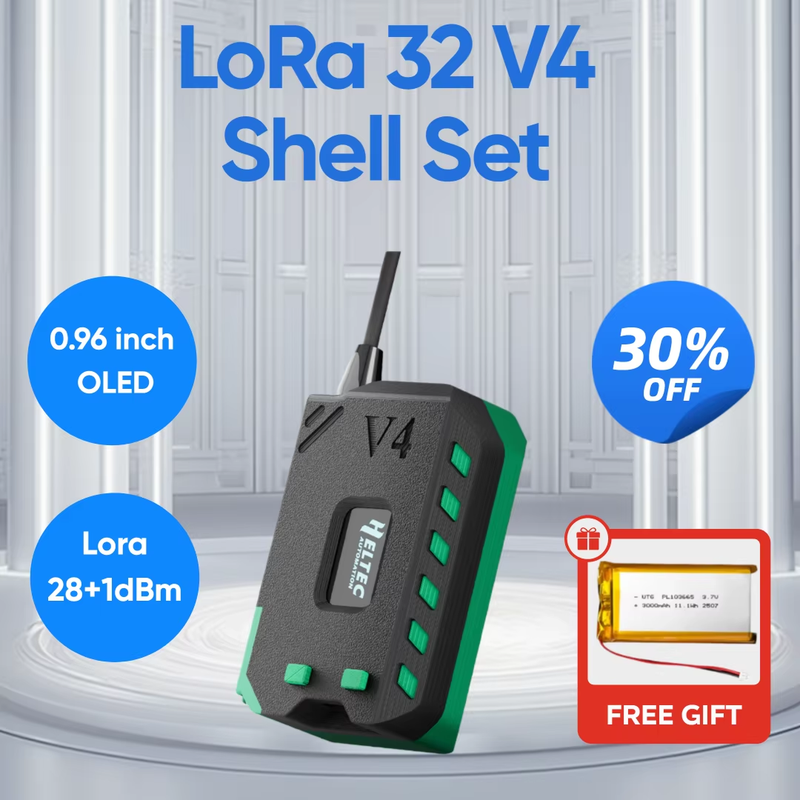
Heltec WiFi LoRa 32 V4 with OLED Display 27dBm ESP32-S3 SX1262 WIth 3000mah Battery Casing Kit for Meshtastic IoT Arduino Heltec WiFi LoRa 32 V4 with OLED Display 27dBm ESP32-S3 SX1262 WIth 3000mah Battery Casing Kit for Meshtastic IoT Arduino
●More detailed WiFi LoRa 32(V4) introduction-Scan&Watch for more on
Youtube.
Heltec WiFi LoRa 32 V4 | ESP32-S3 LoRa Development Board Upgrade | Long Range
IoT Communication
Docs & Resource
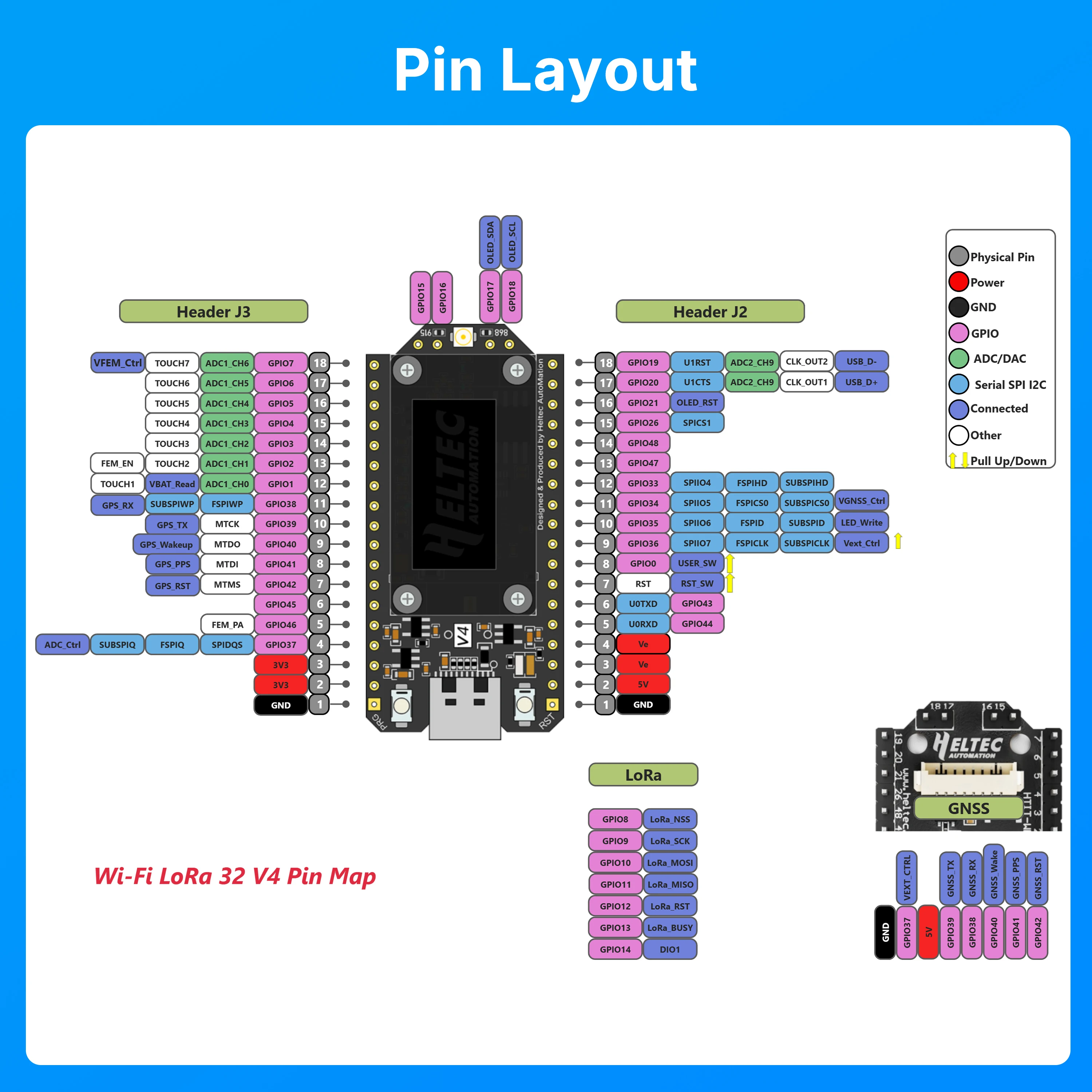
Summary
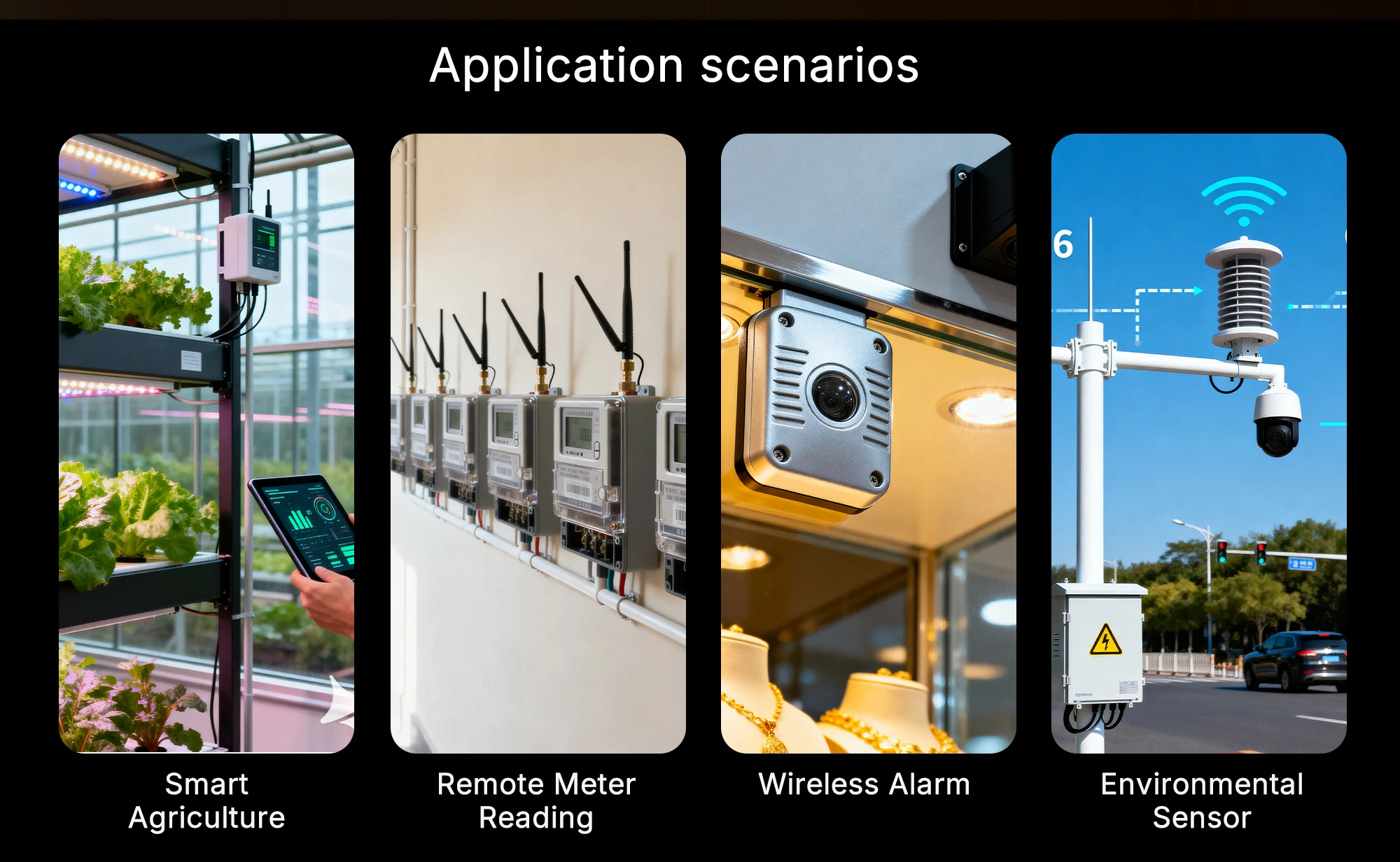
Heltec WiFi LoRa 32 V4 is a fully upgraded version of the classic LoRa development board. Since its initial launch in 2017, this product series has been highly favored by developers and makers. Building upon the powerful features of its predecessors, the V4 version introduces comprehensive optimizations in Transmit Power, power management, expandability and other hardware design. It is suitable for various IoT applications such as smart cities, agricultural monitoring, smart homes, industrial control, security systems, and wireless meter reading, providing developers with a more efficient and flexible development experience.Hardware Version Comparison
Parameters | V3 | V4 |
MCU | ESP32-S3FN8 | ESP32-S3R2 |
Flash | 8MB (integrated) | 16MB (external) |
USB to Serial Chip | CP2102 | Removed CP2102 |
Power Management | Standard Li-ion management IC | Upgraded IC supporting solar input |
Solar Input | Not available | Added SH1.25-2P interface |
LoRa TX Power | 21±1dBm | 28±1dBm |
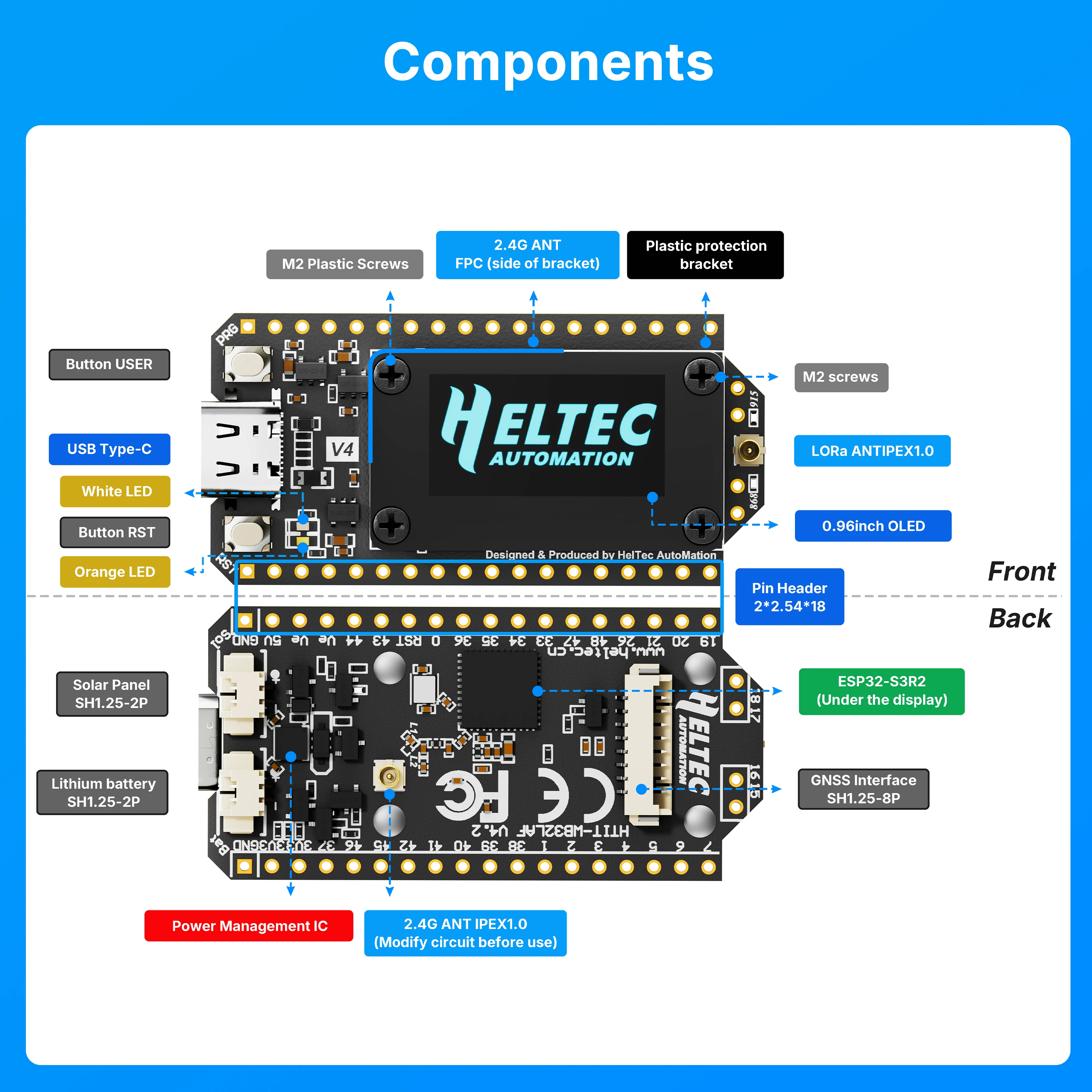
2.4G Antenna | Metal spring antenna | FPC antenna + IPEX connector |
GPS Interface | Not available | Added SH1.25-8Pin interface |
Peripheral I/F | 36-pin | 40-pin |
Screen Connection | Soldered | Soldered + B2B connector |
Pin Craft | Silver-plated | Gold-plated |
Screen Bracket | Partial protection | Full protection |
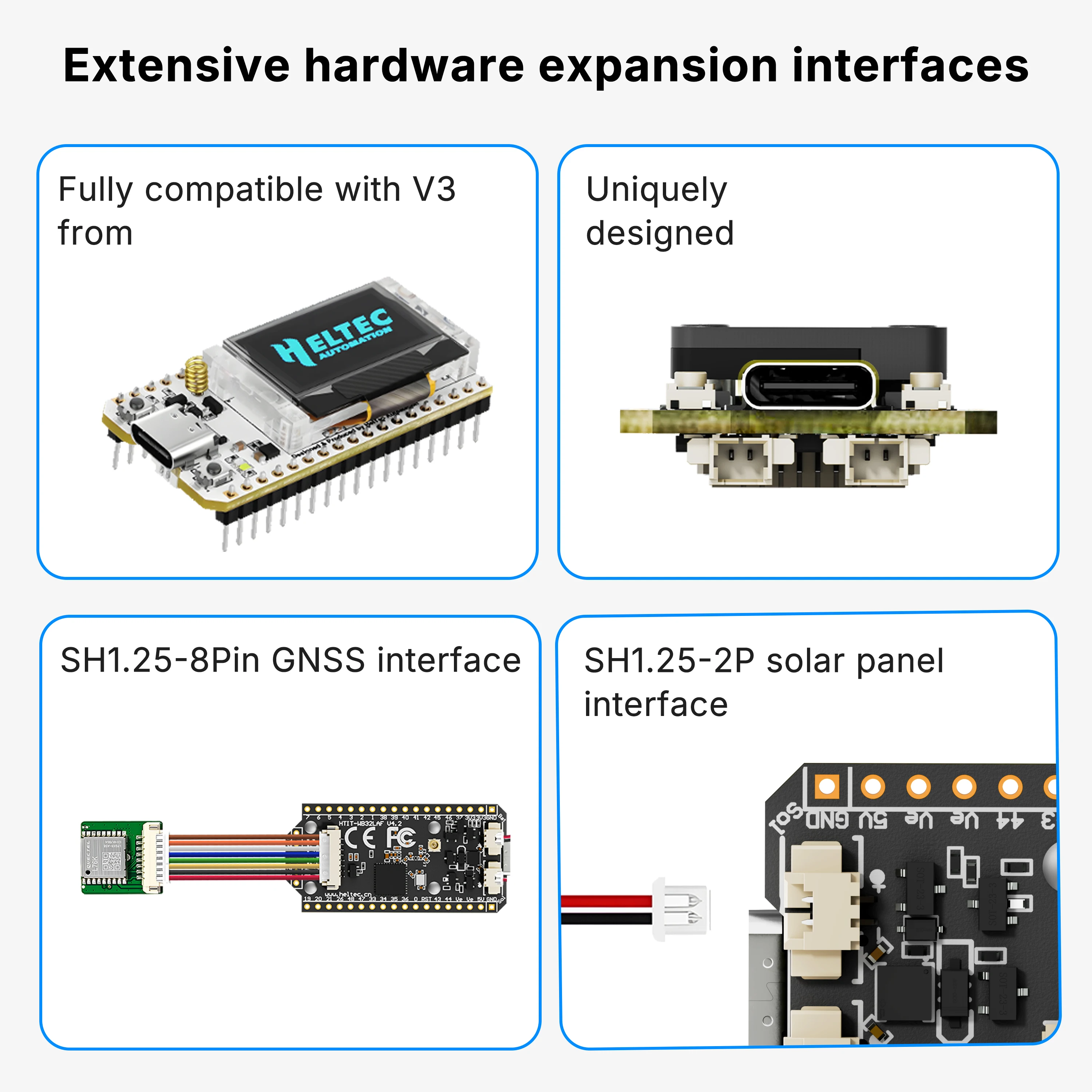
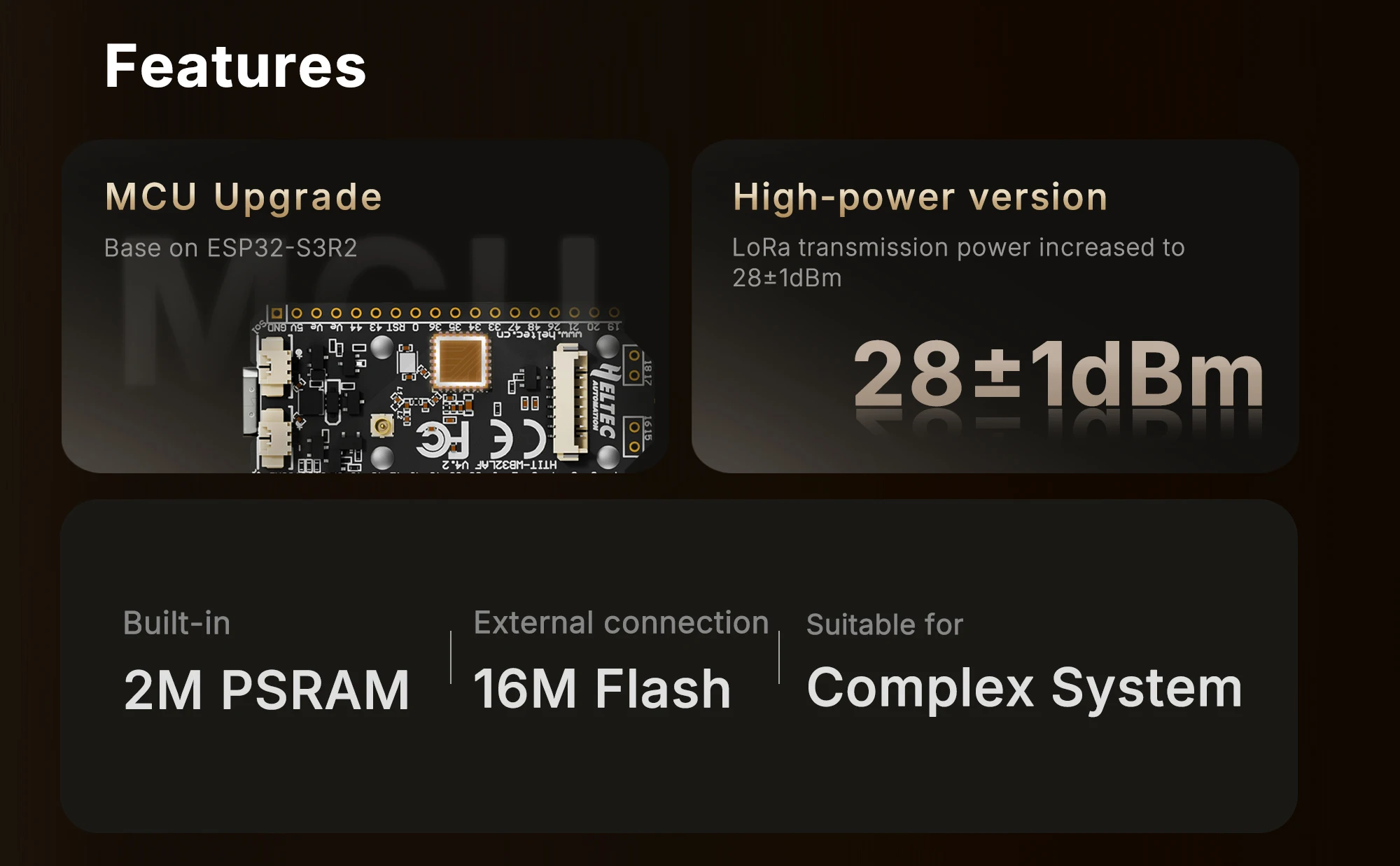
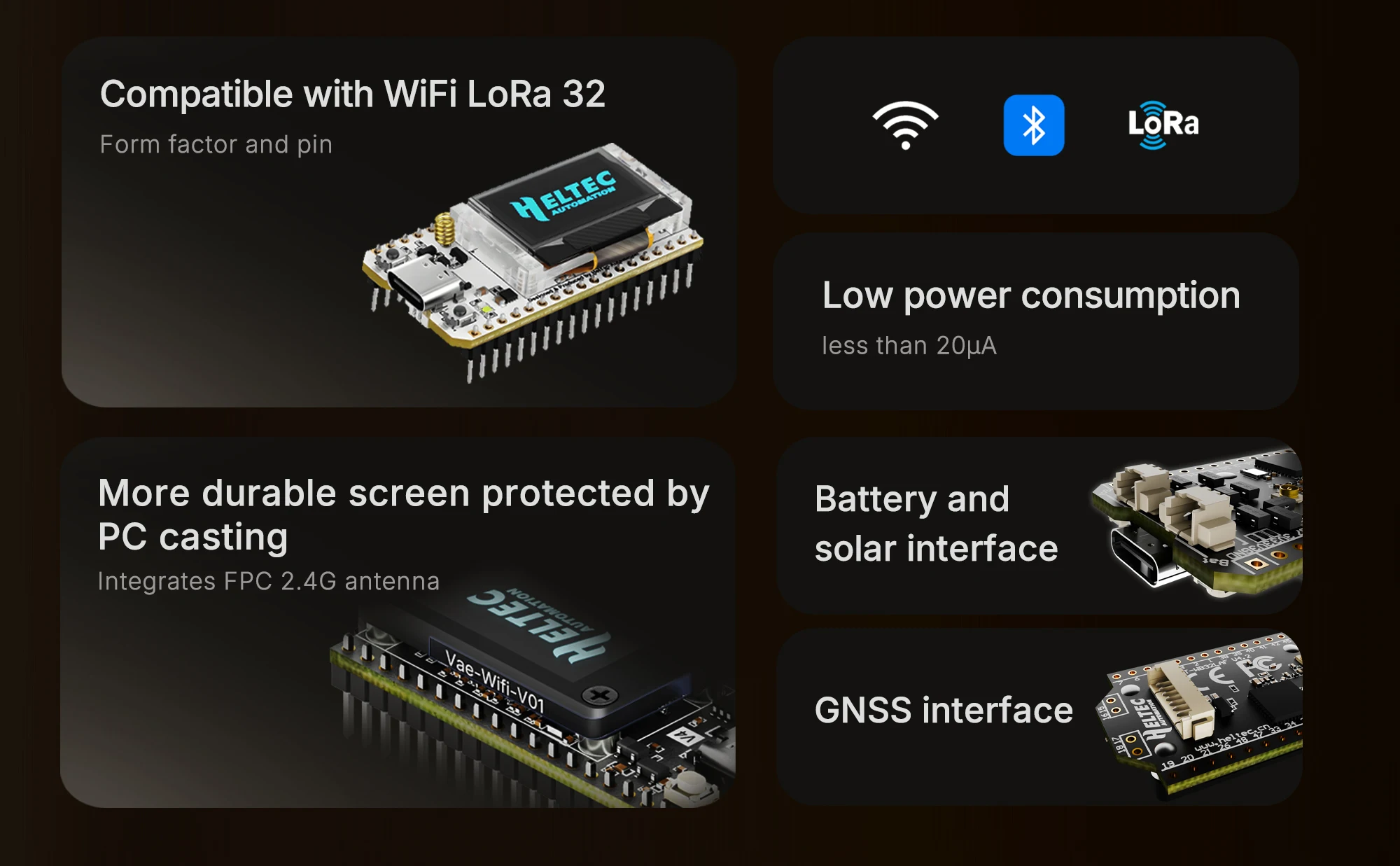
Main Features
Base on ESP32-S3R2 & SX-1262, supports Wi-Fi b/g/n, BLE, and LoRa communication.
2MB PSRAM and 16MB external Flash, more suitable for UI and complex system .
High-power version with LoRa transmission power increased to 27±1dBm.
Form factor and pin compatibility with WiFi LoRa 32 V3.
PC casing protects the screen and integrates FPC 2.4G antenna.
Added SH1.25-2P solar panel interface.
Optimized lithium battery management.
Added SH1.25-8Pin GNSS interface.
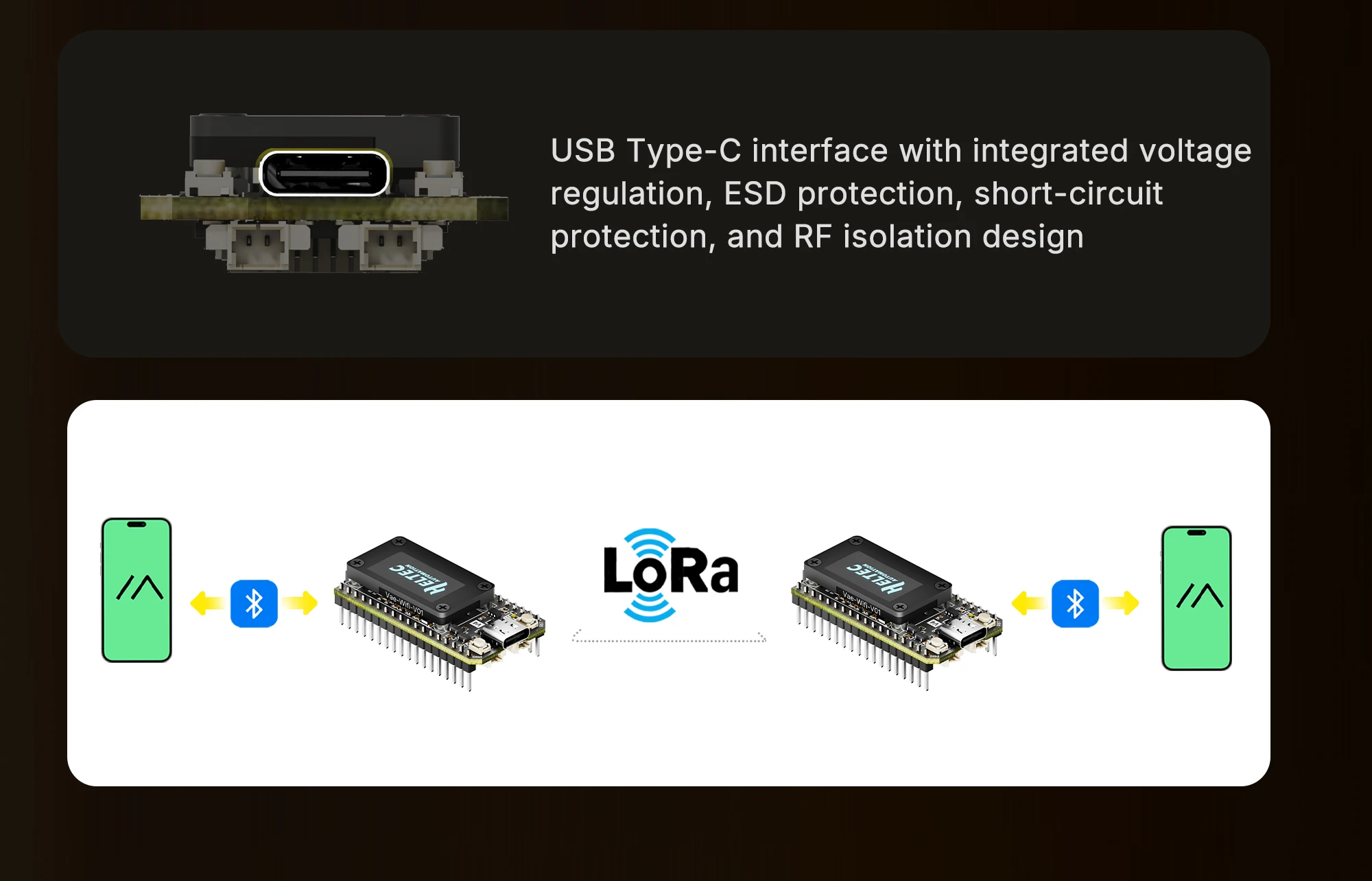
USB Type-C interface with integrated voltage regulation, ESD protection, short-circuit protection,
and RF isolation design.
Low power consumption is less than 20μA.
Specifications
Parameters | Description |
MCU | ESP32-S3R2 (Xtensa®32-bit lx7 dual core processor) |
LoRa Chip | SX1262 |
Frequency | High-power version: 863-928MHz |
Max. TX Power | High-power version: 28 ±1 dBm |
Max. Receiving sensitivity | -137dBm@SF12 BW=125KHz |
Wi-Fi | 802.11 b/g/n, up to 150Mbps |
Bluetooth | Bluetooth (LE), Bluetooth 5, Bluetooth Mesh |
Hardware Resource | 7*ADC1 + 2*ADC2; |
Memory | 384KB ROM; 512KB SRAM; 16KB RTC SRAM; 2MB PSRAM; 16MB Flash |
Interface | Type-C USB; |
Battery applicable | 3.3-4.4V lithium battery |
Operating Temperature | -20 ~ 70 ℃ |
Dimensions | 51.7 * 25.4* 10.7mm |
FAQ
1. 2.4GHz Antenna
The default 2.4G FPC antenna is located on the side of the plastic screen bracket.
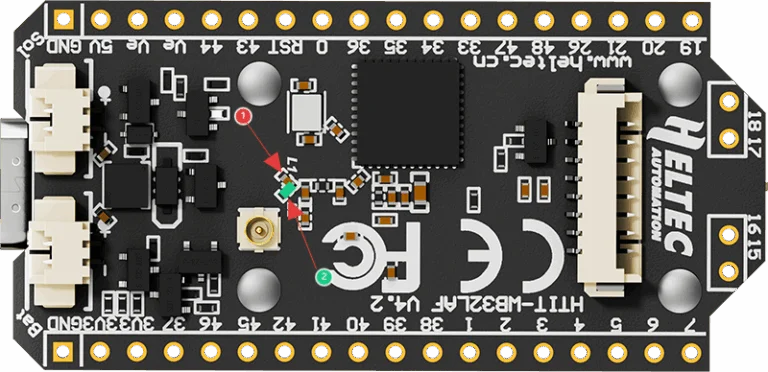
If you wish to use an IPEX-connected 2.4G antenna, you need to remove the inductor marked as ① in
the diagram below, and add a 0-ohm resistor (or other conductive metal or cable) at the position
marked ② to connect to the IPEX interface.
2. hat development methods does it support?
●Arduino
●Micro Python
●Platform.io
●Espressif IDE
We strongly recommend using Arduino. We have complete technical support and provide complete
LoRaWAN code for ESP32 Arduino framework.
3. hat’s the battery socket type?
You can find this type of socket by search “SH1.25 x 2”.
4. Can I order a version without the OLED display?
Of course, you can contact our sales staff and provide your ideas.
5. Are V3 and V4 compatible?
They are compatible in most scenarios.
Since V4 uses the same series of chips as V3, features the same OLED, and has an almost identical
pin layout, V3 and V4 can be used interchangeably in the majority of cases.
However, due to the increased transmit power, the transmit power settings in some code may no
longer correspond directly to the actual output.
6. Failed to upload code
Please try the following steps:
1.Try using a different USB cable.
2.Enter BootLoader mode. There are two methods to enter this mode:
●Hold down the PRG button, connect the USB-C cable, then release the PRG button.
●Connect the USB-C cable, hold down the PRG button, press the RST button once, then release the
PRG button.
About Prime Living
Prime Living is a Canadian online store offering a carefully selected range of quality products for home, automotive, tools, outdoor living, electronics and more.
We are committed to fast order processing, secure packaging and reliable tracked shipping to provide an excellent shopping experience.
Shipping policy
We carefully handle each order to ensure your package arrives quickly and safely. Please note that factors such as weather, postal traffic, or carrier performance may occasionally cause delays beyond our control.
We provide free shipping and dispatch all orders within 2 business days of payment, often sooner. All shipments are sent via international express air shipping, with a tracking number provided so you can follow your order every step of the way.
. Please provide a physical address, as we do not ship to P.O. Boxes.
Returns
Your satisfaction is important to us. Hexlight offers a 14-day Free return policy: if you are not fully satisfied with your purchase, you may request either a full refund or an exchange. All return shipping costs are fully covered by us.
Condition
Brand New
Shipping
This item is shipped directly from our supplier in China with tracking.