
Product Description
SFP+ PON Stick XGS-PON ONU with 8311 Web IP SN Management 10Gb/s SC/APC 1270/1577nm -40 to 85°C Industrial Grade SMF XGSPON ONT SFP+ PON Stick XGS-PON ONU with 8311 Web IP SN Management 10Gb/s SC/APC 1270/1577nm -40 to 85°C Industrial Grade SMF XGSPON ONT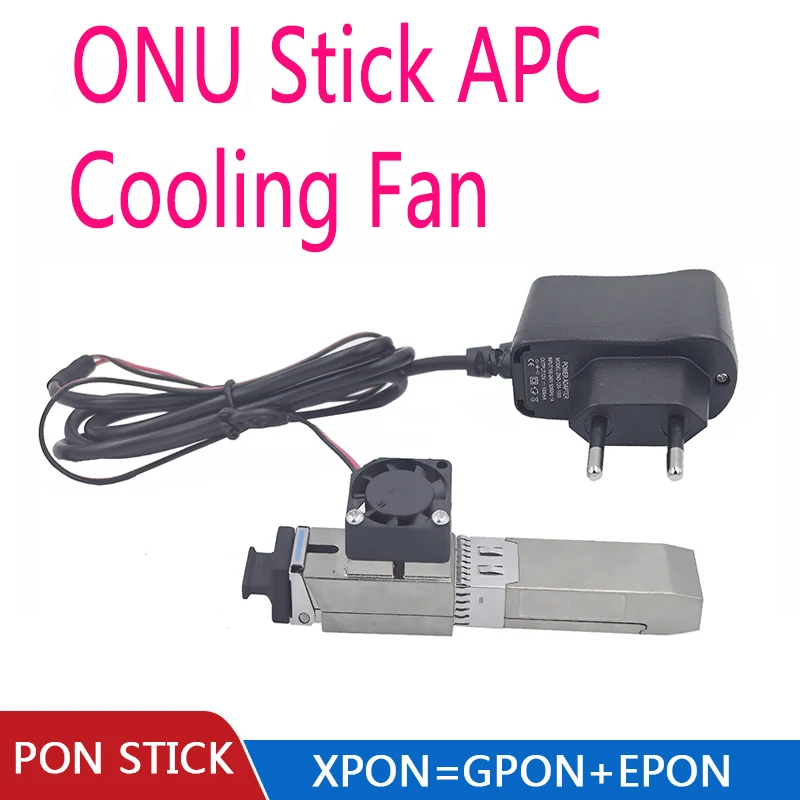
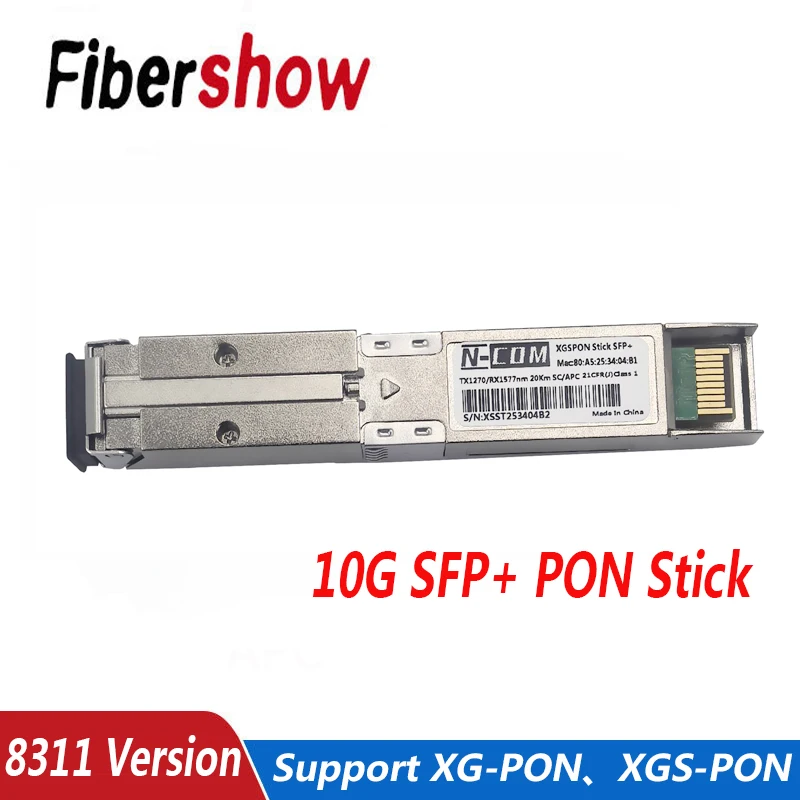
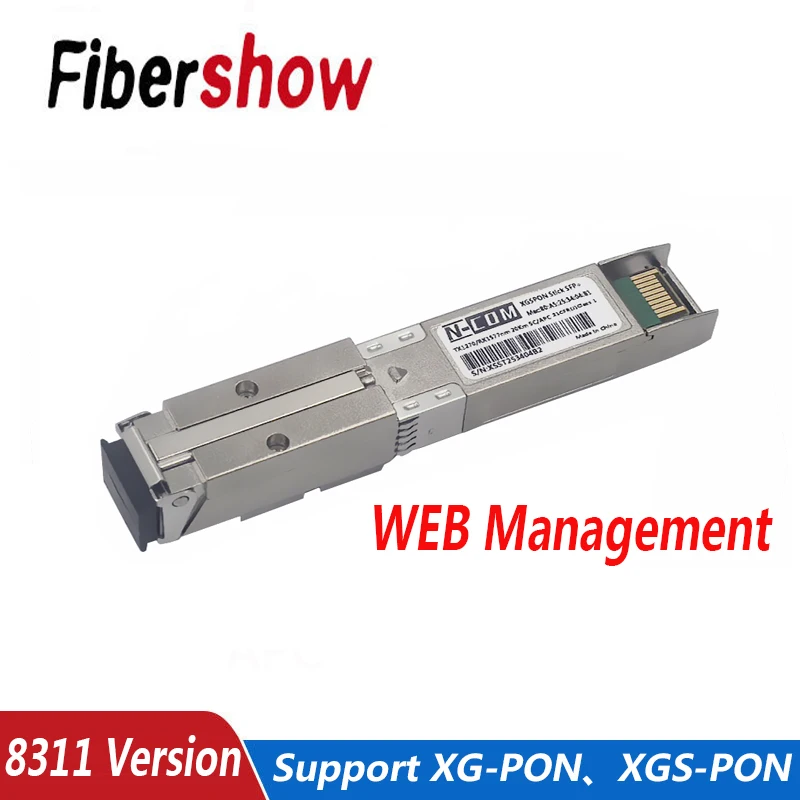
Robust Fiber Type:Single Mode Fiber Type ensures stable and secure data transmission, suitable for diverse PON network deployments.
Efficient Power Management:Utilizes a 3.3V power supply, this ONU module is energy-efficient and cost-effective for long-term operation.
Xgs Pon|Xgs Pon Sfp Stick|High-Speed Transmission:Achieve 10Gb/s transmission over a 20km optical fiber, ensuring swift data delivery in FTTB/FTTH/FTTO networks.
Versatile Compatibility:Designed as a hot-pluggable SFP+ module, this ONU Stick seamlessly integrates with Layer 2 Ethernet switches.
Industrial Grade Durability:Constructed for reliability, the XGS-PON ONU SFP+ Stick operates in a wide temperature range of -40 to 85°C.
APPLICATIONS:
The XGS-PON ONU SFP+ Stick, also referred to as the "SFP+ encapsulated PON ONU module" in China Telecom's enterprise standards, is primarily used to replaceSFU(Single Family Unit) optical modems. It facilitates gigabit (or 10-gigabit) single-port optical-to-electrical conversion in PON (Passive Optical Network) networks.
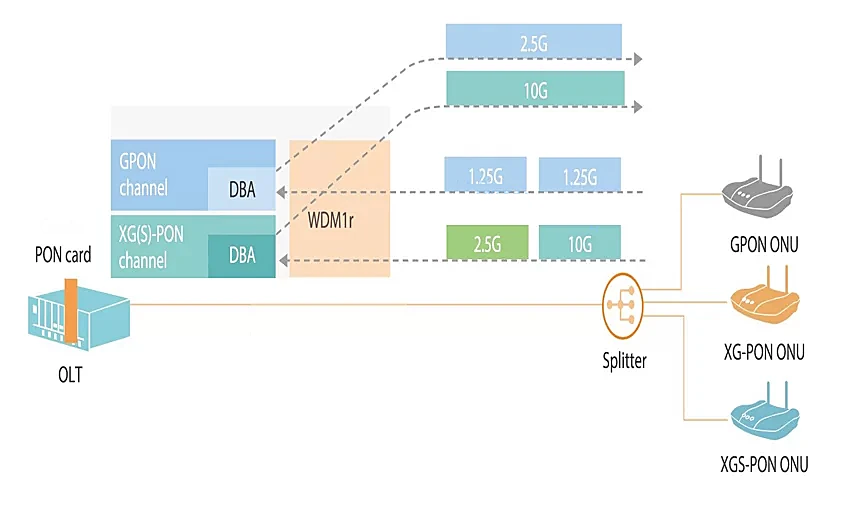
This module fully meets the requirements for telecom-grade FTTB (Fiber to the Building), FTTH (Fiber to the Home), and FTTO (Fiber to the Office) equipment. It can be hot-plugged into a 10G SFP+ slot on a Layer 2 Ethernet switch, functioning as an ONU. This allows the entire device to directly connect to the XGS-PON optical network. The OLT (Optical Line Terminal) at the central office can register the XGS-PON ONU SFP+ Stick just like a regular ONU, enabling the transition from a P2P (Point-to-Point) network to a PON network.
OVER VIEW:
Product Name: XGS-PON ONU SFP+ Stick, commonly known as "Optical Network Unit (ONU) Stick”
Chipset Solution: Maxlinear PRX126
Part Number
Description
SPP425H-GAB4
SFP+ ONU, 9.953G TX/9.953G RX, Tx1270/Rx1577nm 20km, SC/APC, XGSPON ONU STICK
Key Features:
3.3V power supply
Maximum transmission distance of 20 km
Data encryption support
Compatible with SFP MSA (Multi-Source Agreement)
VLAN configuration support
RoHS compliant
Software online upgrade support
Fault alarm support
Dynamic Bandwidth Allocation (DBA) support
Multicast pass-through support
SC/APC or SC/UPC interface options
OLTs: ZTE | Huawei | Nokia | Other Main Brands
Switches: Huawei | H3C | TP-Link | Cisco | MikroTik | Other Leading Brands
Note: The list of compatible devices is continuously being updated.
- SSH version:
- Installation:
Insert the XGS-PON ONU SFP+ Stick into the optical port of your switch or router.
Verify connectivity by pinging the module. The IP address of the module is 192.168.1.1.
- SSH Login (Telnet is not supported) :
IP Address: 192.168.1.1
Username: root
Password: (No password required)
- Main Operation Commands:
View VLAN Configuration Issued by OLT:
Bash
tc filter show dev eth0_0 ingressView Counters (MAC1 for PON port, MAC4 for LAN port):
Bash
switch_cli xgmac "" get rmon
switch_cli xgmac "" clear_rmon
pon eth_rx_counters_get 1024
pon eth_tx_counters_get 1024Capture OMCI Data Packets:
Bash
tcpdump -i gem-omci -wTo view captured OMCI data packets:
Bash
tcpdump -r
To export data packets:
Bash
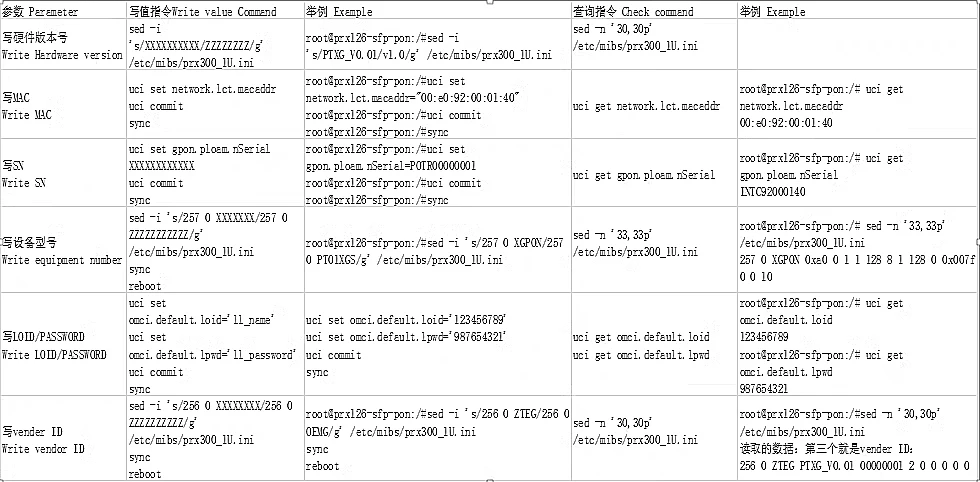
tftp 192.168.1.2 -l OMCI_data -pModify LOID/LOID_PW Registration:
Bash
uci set omci.default.loid='your_loid_name'
uci set omci.default.lpwd='your_loid_password'
uci commit syncExample:
Bash
uci set omci.default.loid=sadasfgqwqwd uci set omci.default.lpwd=hgdgfshdfsdas uci commit sync
- Installation:
- 8311 Version (e.g.: Mikrotik CRS305 switch):
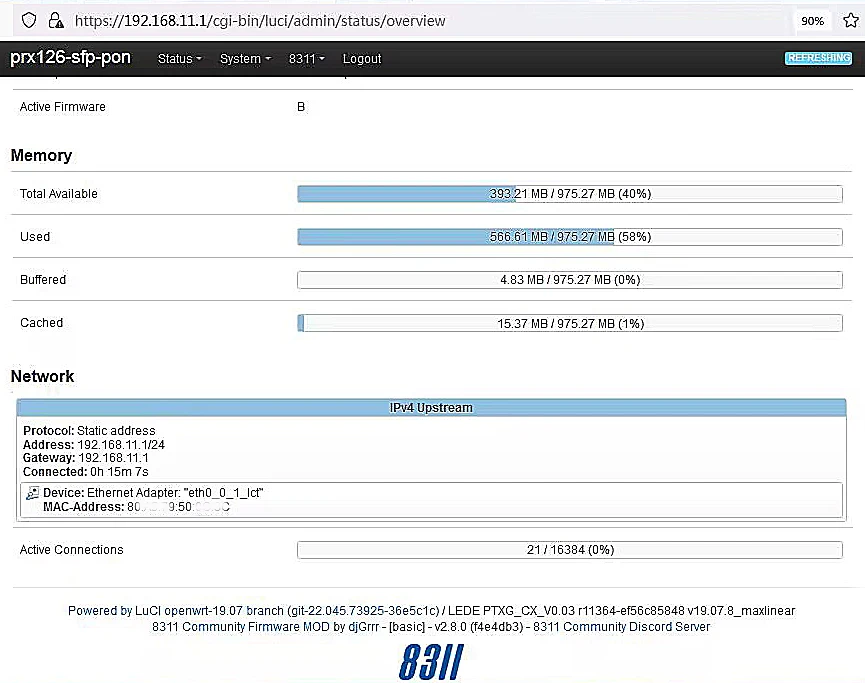
Access the ONU: IP Address: 192.168.11.1, Web Username: admin, SSH Username: root (No password for web/SSH access)
PON Mode: The current firmware supports switching between XGS-PON and XG-PON modes (GPON and EPON support pending firmware update)
OMCI Masking: Includes Vendor ID, Equipment ID, Hardware Version, Software Versions A & B, OMCC Version, MIB File (For Huawei OLT, select /etc/mibs/prx300_1U.ini). *If you are unsure about the specific configuration, it is strongly recommended not to modify these settings as it may cause the device to become inaccessible.*If you need to make changes, we strongly suggest first flashing the 8311-community version U-boot. If the device becomes a soft brick, it can be recovered using the U-boot recovery process.
Authentication Configuration: LOID, SN, SN + Password, SN + Password + MAC
The value entered in the Password (Ploam Password/Registration ID) field must be in hexadecimal format, which can be converted using an online ASCII to Hex converter, e.g., ASCII and Hex converter, contact us if you need this converter.
About Prime Living
Prime Living is a Canadian online store offering a carefully selected range of quality products for home, automotive, tools, outdoor living, electronics and more.
We are committed to fast order processing, secure packaging and reliable tracked shipping to provide an excellent shopping experience.
Shipping policy
We carefully handle each order to ensure your package arrives quickly and safely. Please note that factors such as weather, postal traffic, or carrier performance may occasionally cause delays beyond our control.
We provide free shipping and dispatch all orders within 2 business days of payment, often sooner. All shipments are sent via international express air shipping, with a tracking number provided so you can follow your order every step of the way.
. Please provide a physical address, as we do not ship to P.O. Boxes.
Returns
Your satisfaction is important to us. Hexlight offers a 14-day Free return policy: if you are not fully satisfied with your purchase, you may request either a full refund or an exchange. All return shipping costs are fully covered by us.
Condition
Brand New
Shipping
This item is shipped directly from our supplier in China with tracking.