Product Description
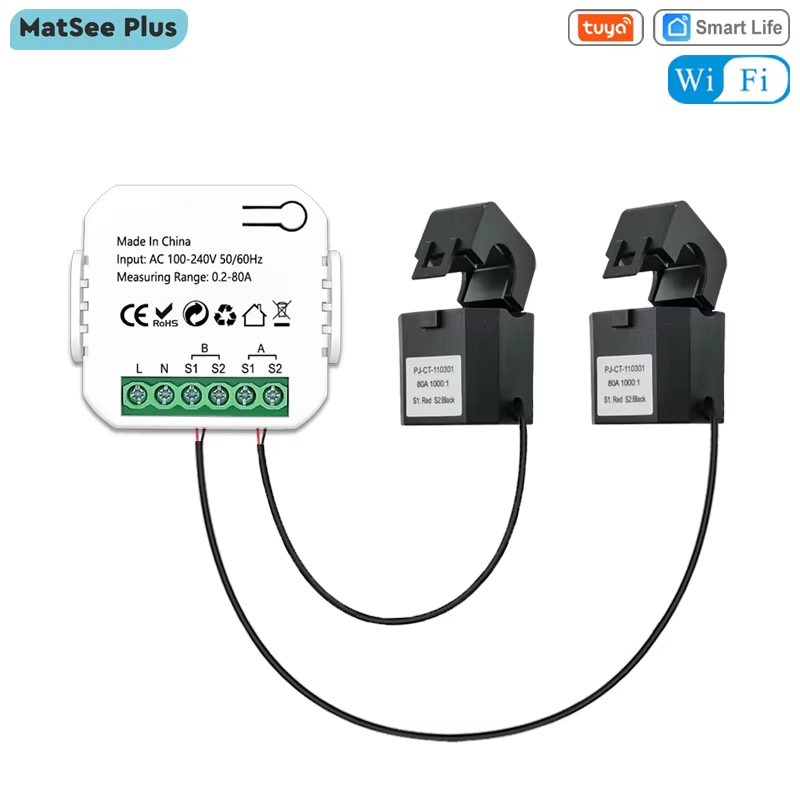
NEW ARRIVAL Tuya WIFI Smart Dual Channel Energy Meter with 2 Clamp 80A - Available to Do Calibrate
1 Channel and 2 Channel is Available
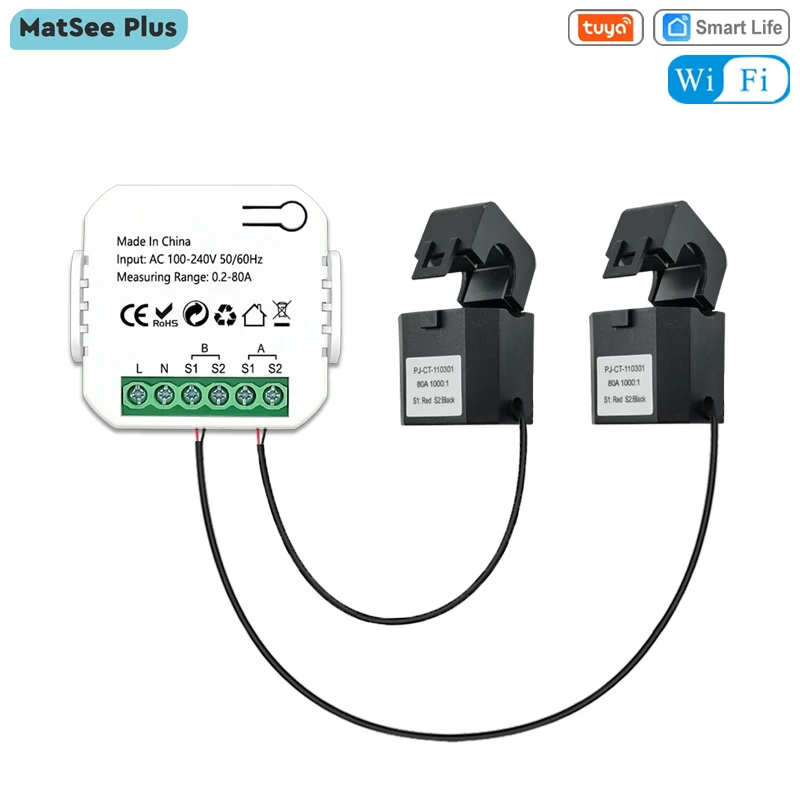
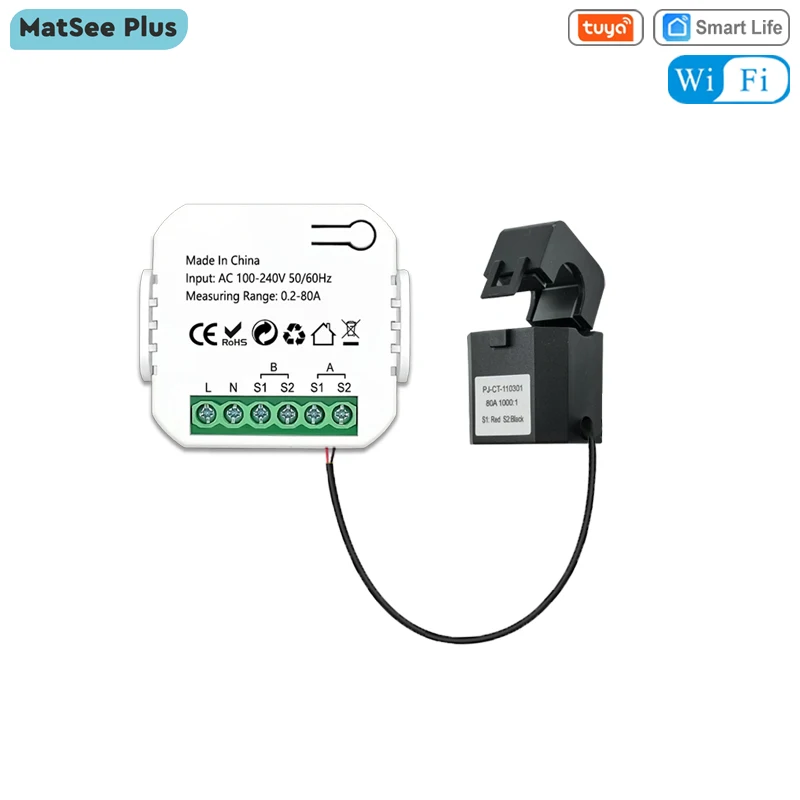
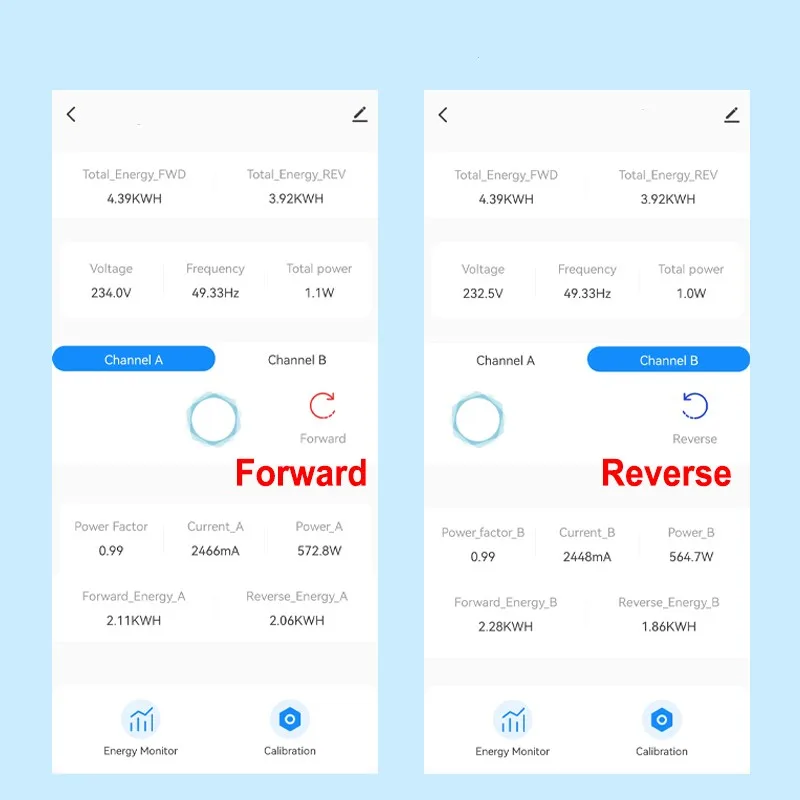
2 Channels For Reverse and Forward direction
1 Channle or 2 Channels are available to Choose
And you can read from App for each Channel
- Real-time total power of 2 channels of reverse and forward direction
- Power for Channel A and B Separately(W)
- Current(mA)
- Voltage(V),
- Power factor, and Frequency(Hz)
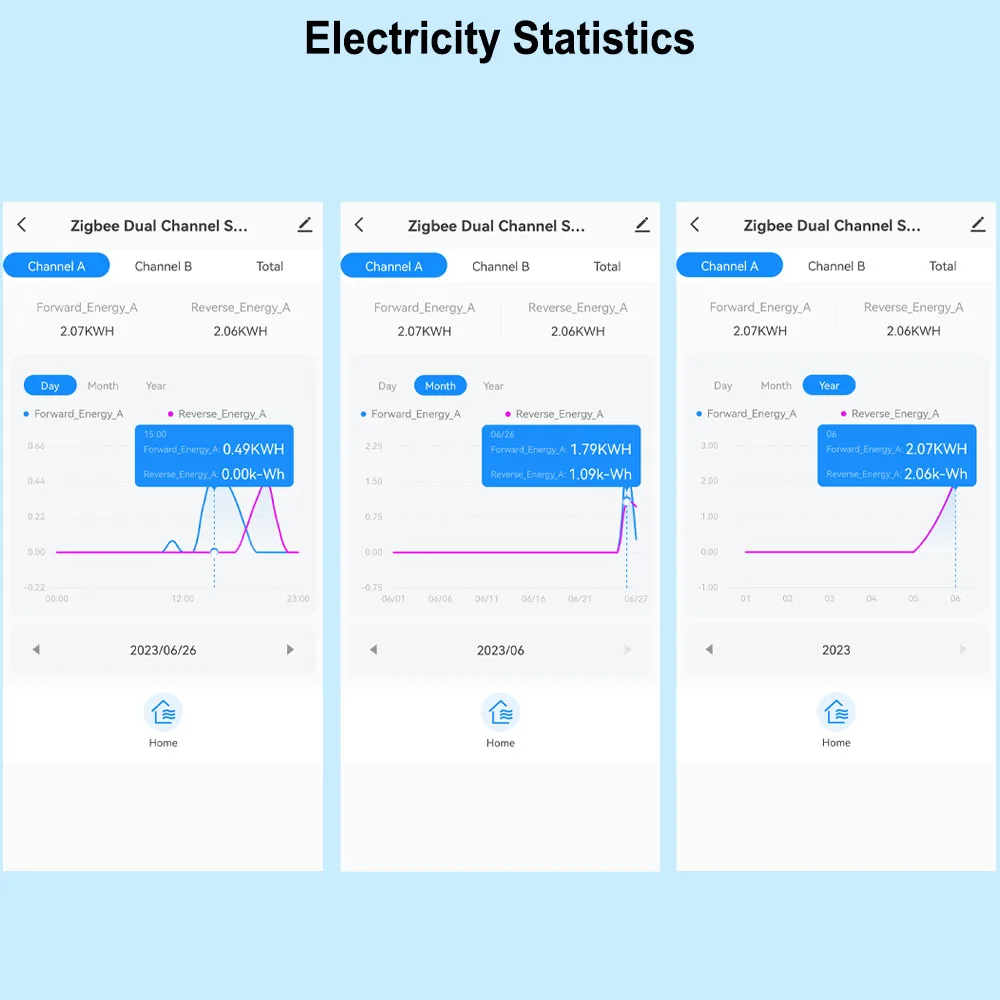
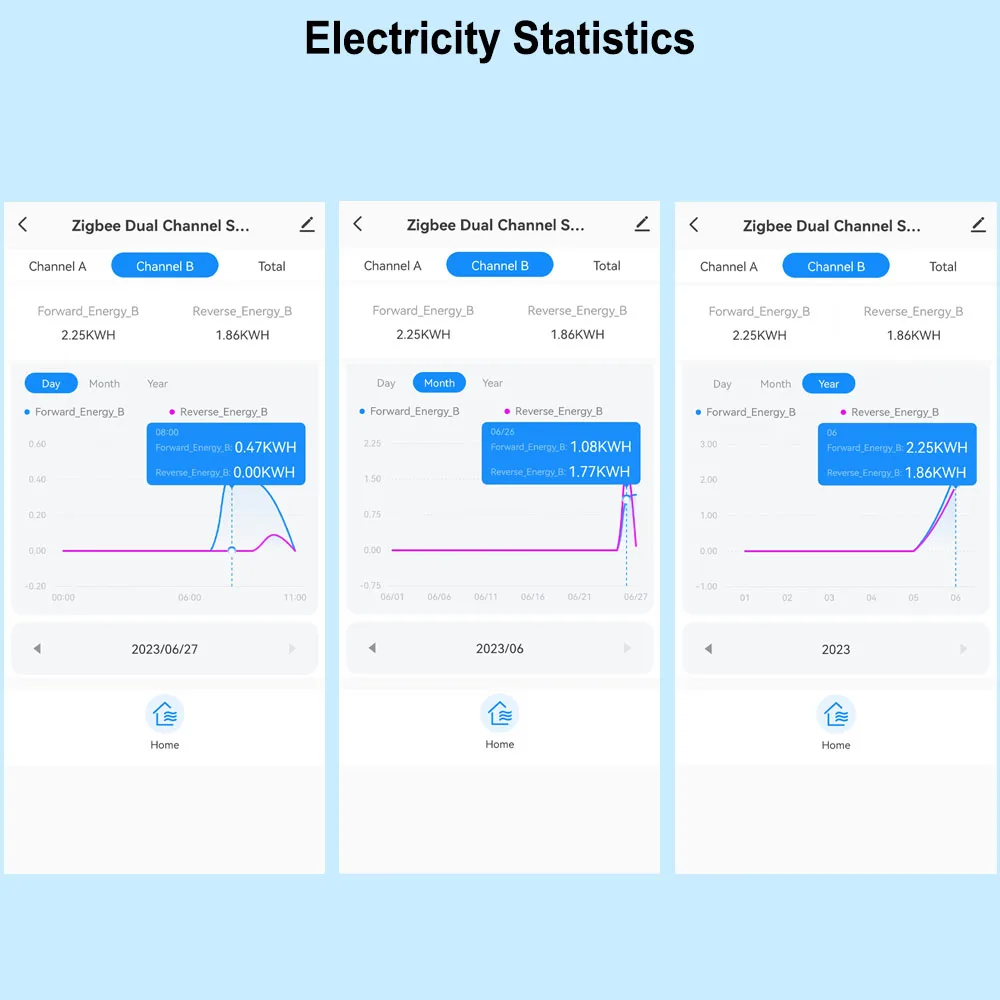
Electricity Statistic for each channel in Forward and Reverse direction.
Hourly Elec. (KWh)
Daily Elec. (KWh),
Monthly Elec. (KWh)
-Yearly Elec. (KWh)
Technical data:
Rated Voltage:100-240V AC 50/60Hz
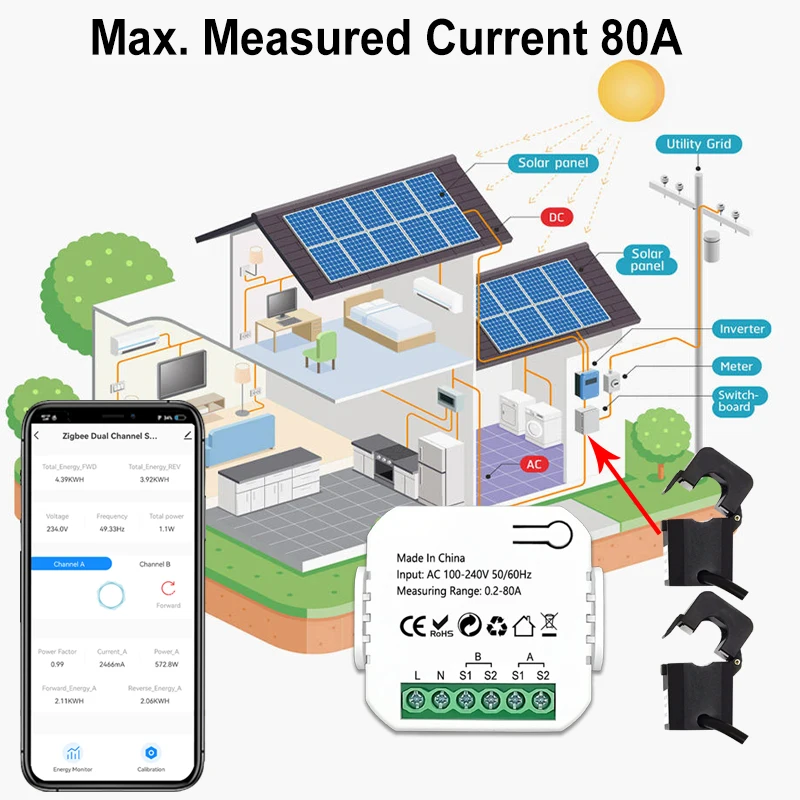
Measurable Current Range: 0.2A-80A
WiFi Frequency: 2.4GHZ (Not Support 5Ghz)
Ambient Temperature Range:-10°C ~ 55°C
App can display Channel A and B Real-time power, current, voltage, power factor and frequency for Forward and Reverse direction clrealy
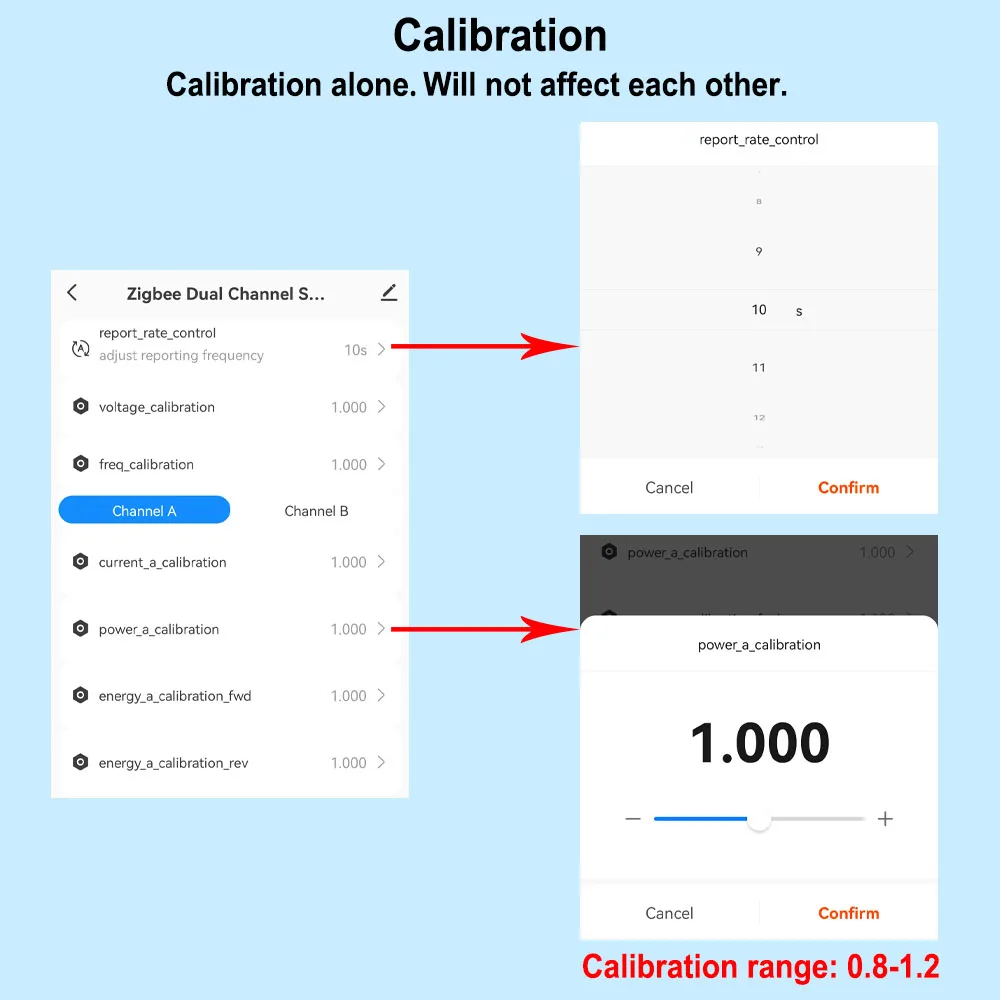
The meter allows to do calibration
Allow to Do Calibration
The device is able to do calibration by adjusting the percentage
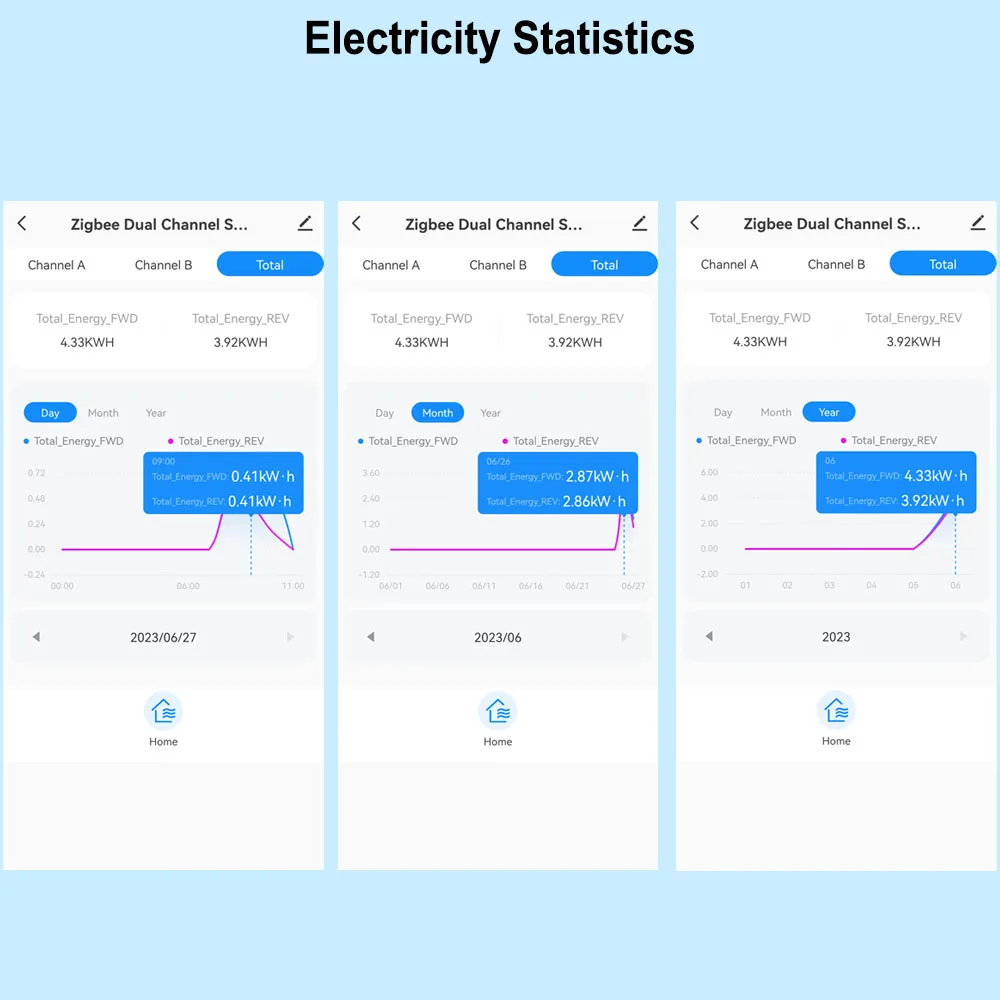
Electricity Statistic Channel A , B Separately and Total daily monthly, yearly Reverse and Forward Direction
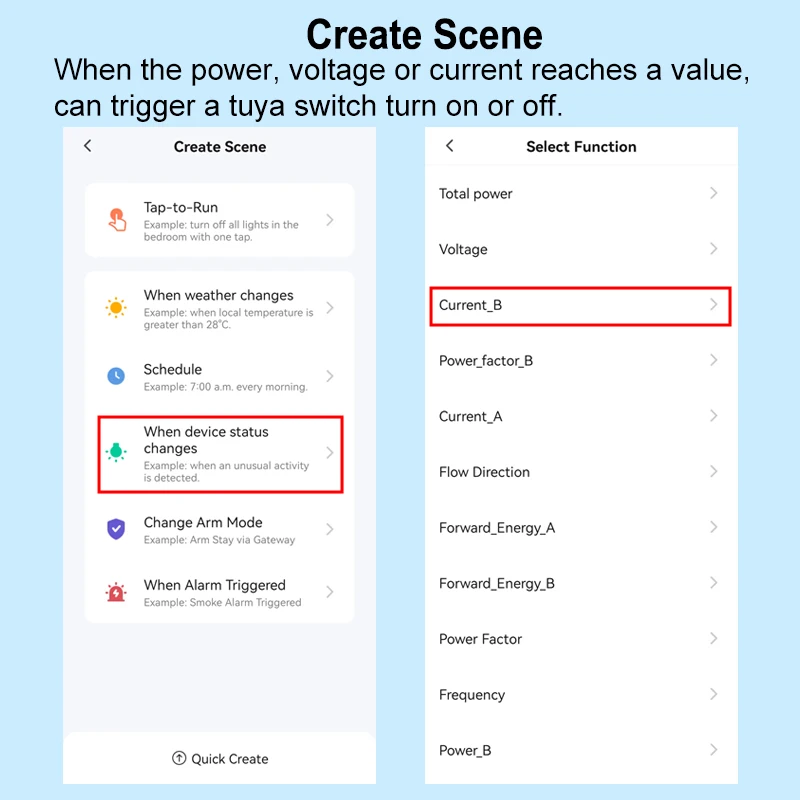
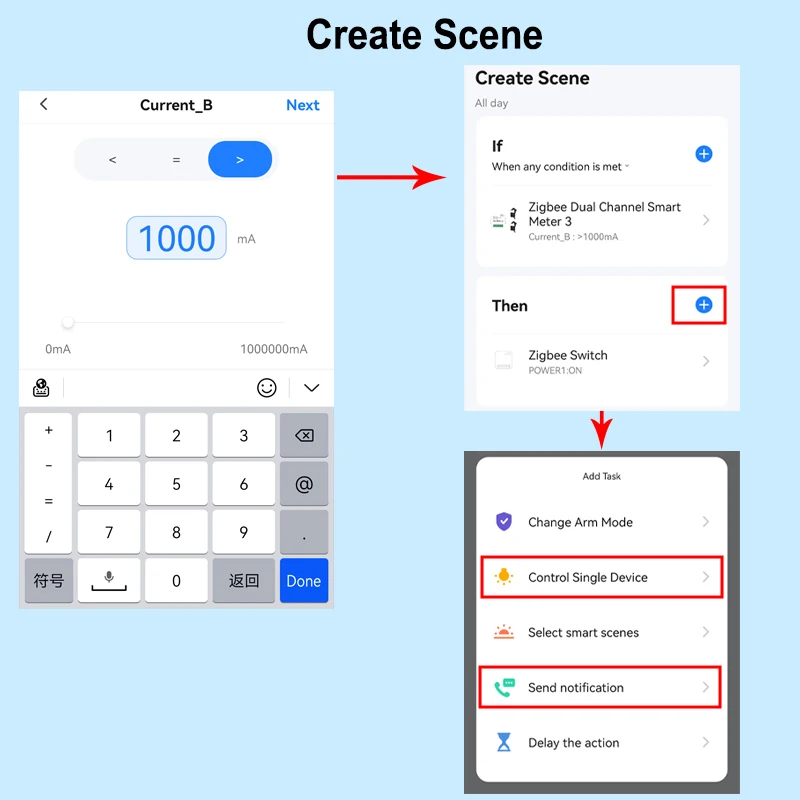
Automation , It allows to make a Scene for this device working with other tuya devices
Set Automation for the Measured Device ,
For example, If Power or Current Is over the Value, then other tuya device starts to work .
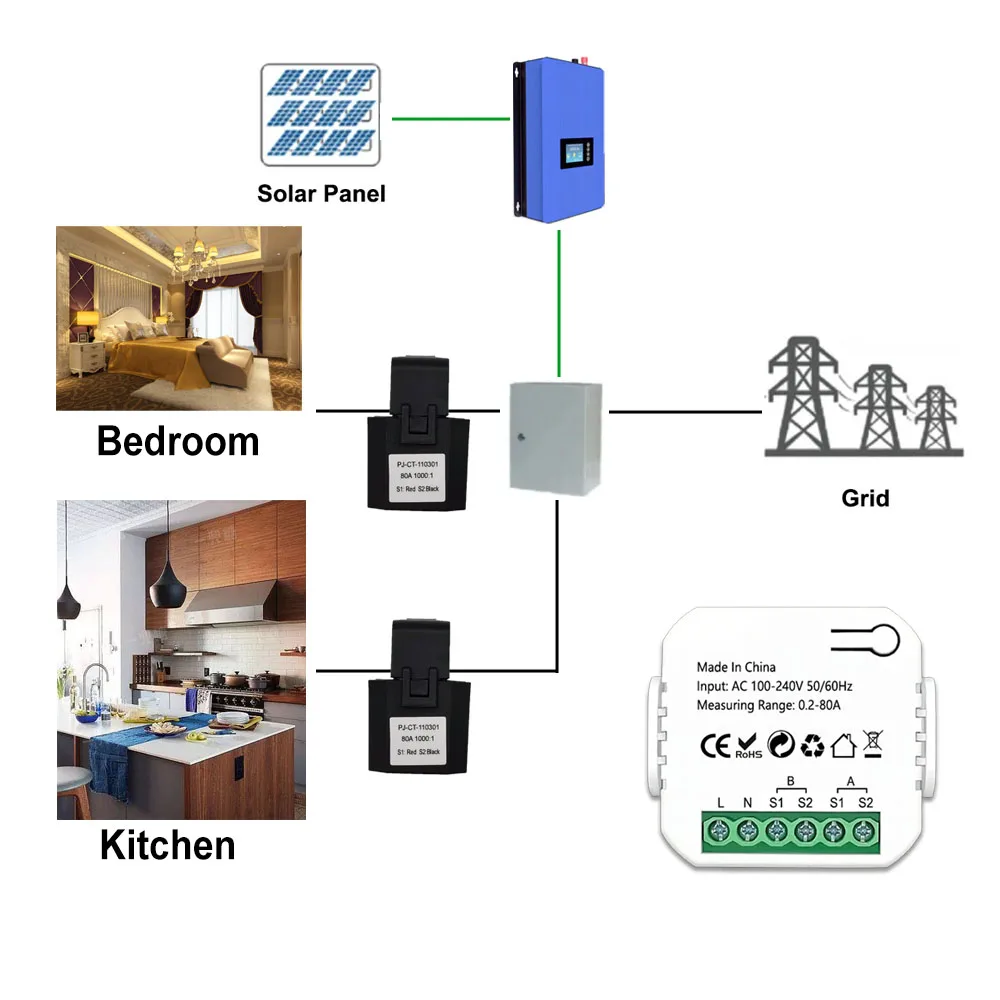
Wiring Diagram
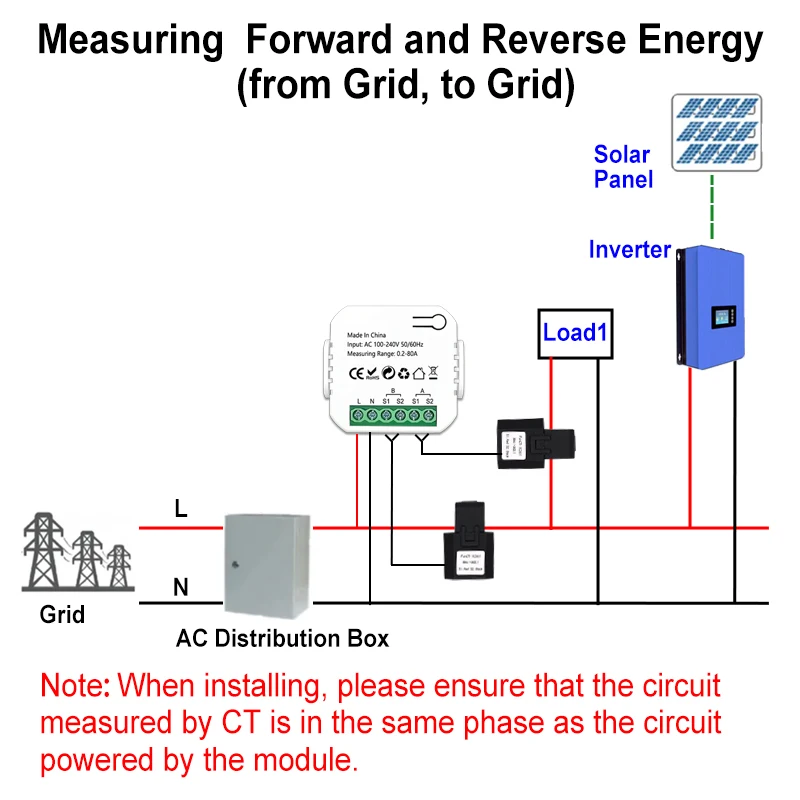
1. To measure the power 'from Grid' and 'To Grid'
Please note to make sure the circuit mesaured is in the same phase as the circuit power to the module.
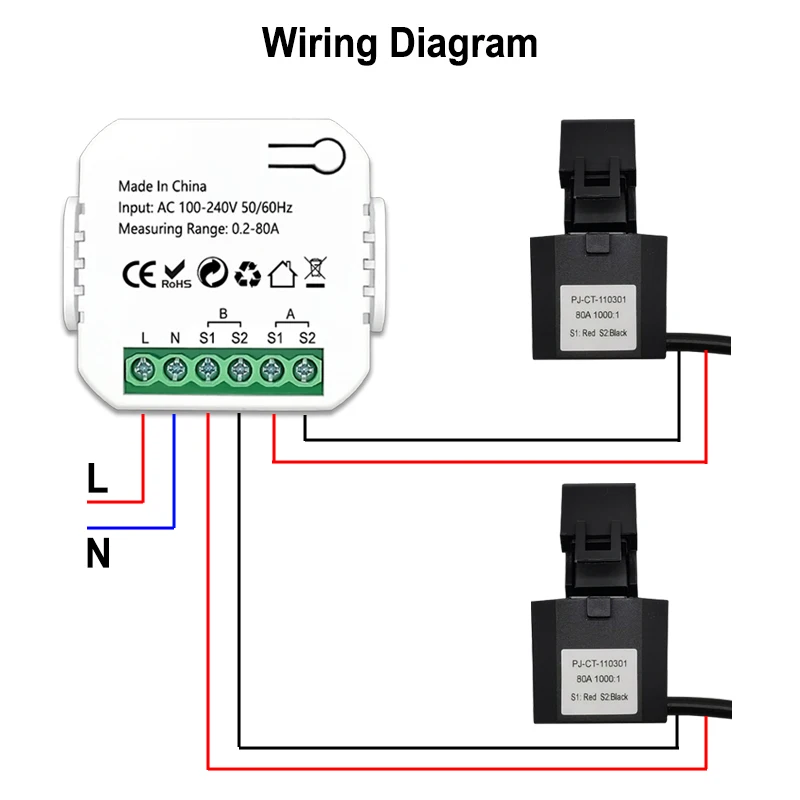
2. Measure the power consumption.
Please note to make sure the circuit mesaured is in the same phase as the circuit power to the module.
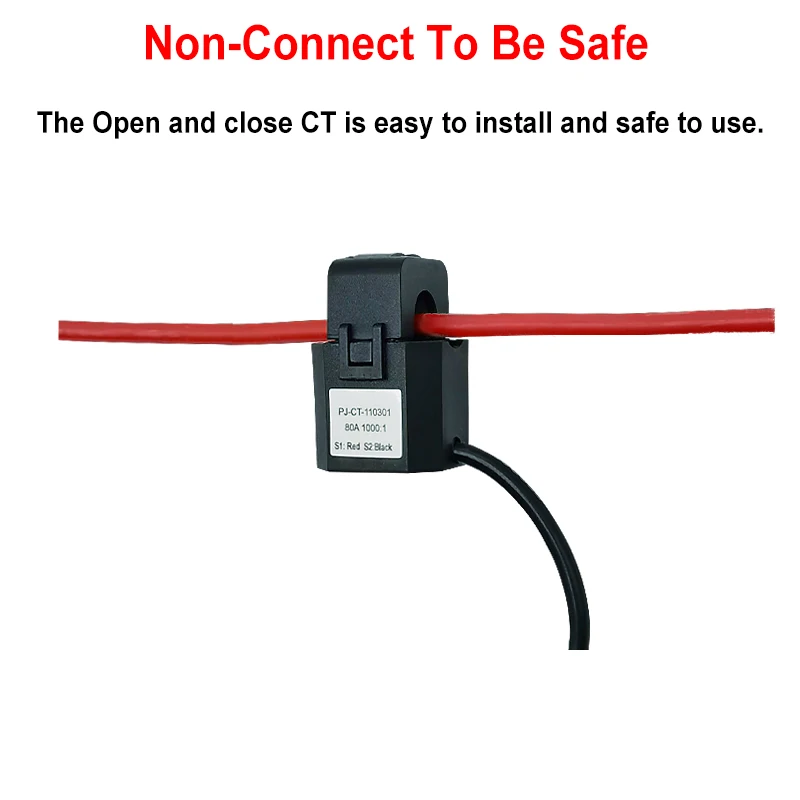
Non-connect to Be Safe, Easy and Safe to Install
No need to change the wires, Just put the wire into the clamp, then it can measure, very easy.
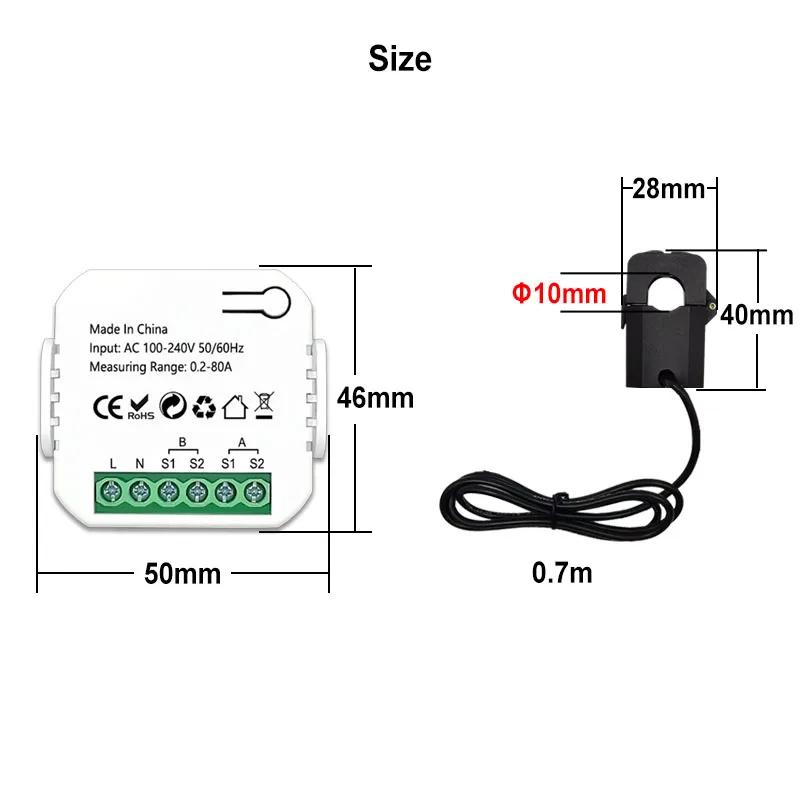
Small Size Module , Easy to Install
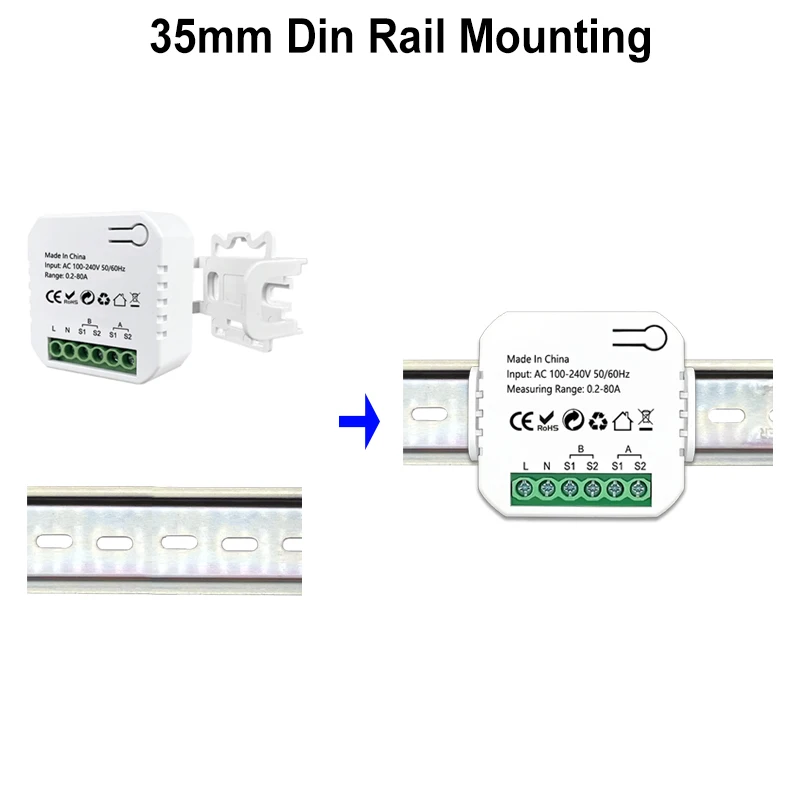
We guarantee good quality, every product will be tested before delivery. Not before Order
Q&A
Q : After I configure it with App , why App shows 'shutdown' ?
A : Only if you put a device's wire (either live wire or neutral wire, not both) in the clamp, and turn on the device, then the clamp can sense the current, and App will show it is working
Q : I suppose P= U*I, why the value shows on App is not correct ?
A : Please consider the cos(Φ).
Because As resistances do not produce any phasor difference (phase shift) between voltage and current waveforms, all the useful power is delivered directly to the resistance and converted to heat, light and work. Then the power consumed by a resistance is real power which is fundamentally the circuits average power.
To find the corresponding value of the real power the rms voltage and current values are multiplied by the cosine of the phase angle, Φ as shown.
Real Power P = I2R = V*I*cos(Φ) Watts, (W)
About Prime Living
Prime Living is a Canadian online store offering a carefully selected range of quality products for home, automotive, tools, outdoor living, electronics and more.
We are committed to fast order processing, secure packaging and reliable tracked shipping to provide an excellent shopping experience.
Shipping policy
We are always working hard to ensure your package arrives as soon as possible. Please understand that some factors like weather, high postal traffic, and the performance of shipping companies are outside of our control.
Returns
We offer a 14-Day Return Policy on items in which you are not completely satisfied with. You have the option of a full-refund or an exchange of the item.
Condition
Brand New
Shipping
This item is shipped directly from our supplier in China with tracking.