
Product Description
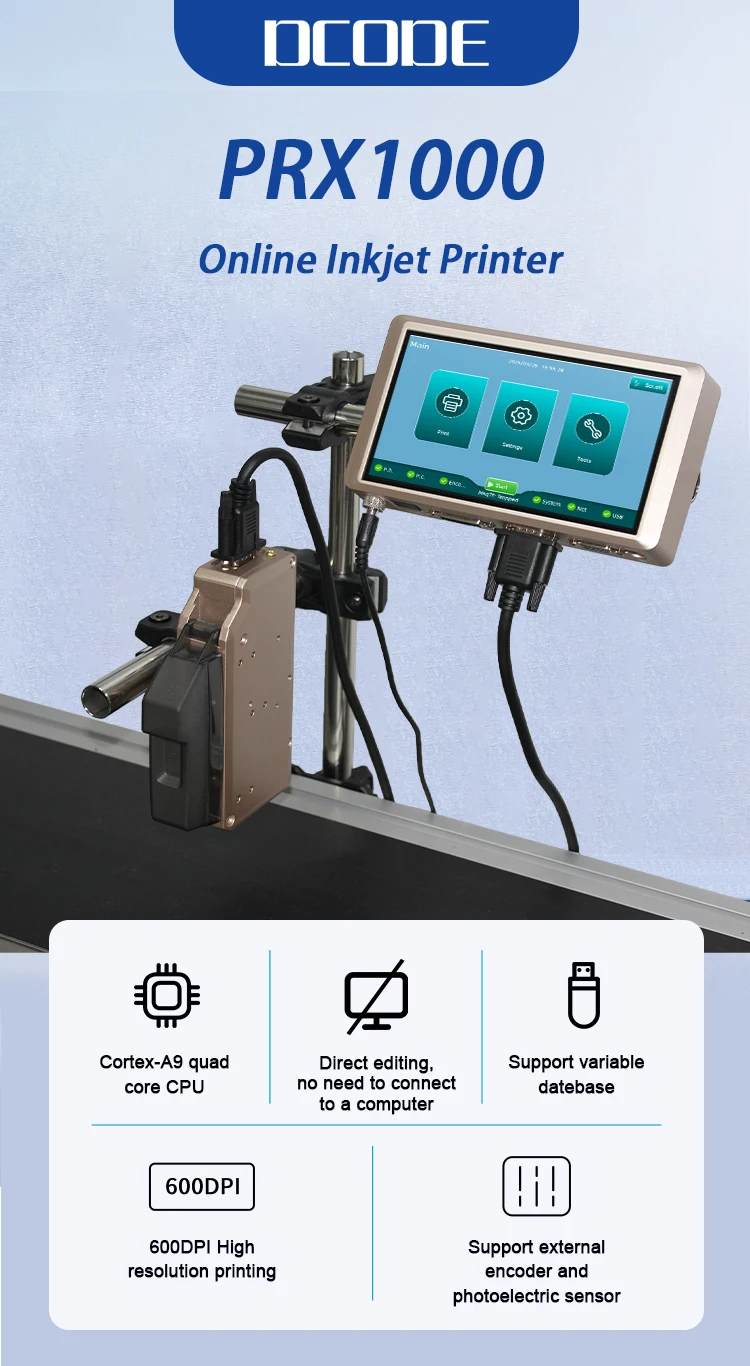
PRX1000 Thermal Inkjet Printer 6.5inch Capacitive Screen Online Inkjet Printer Expiry Date Text Barcode Batch Number Coder PRX1000 Thermal Inkjet Printer 6.5inch Capacitive Screen Online Inkjet Printer Expiry Date Text Barcode Batch Number Coder
Product Description:
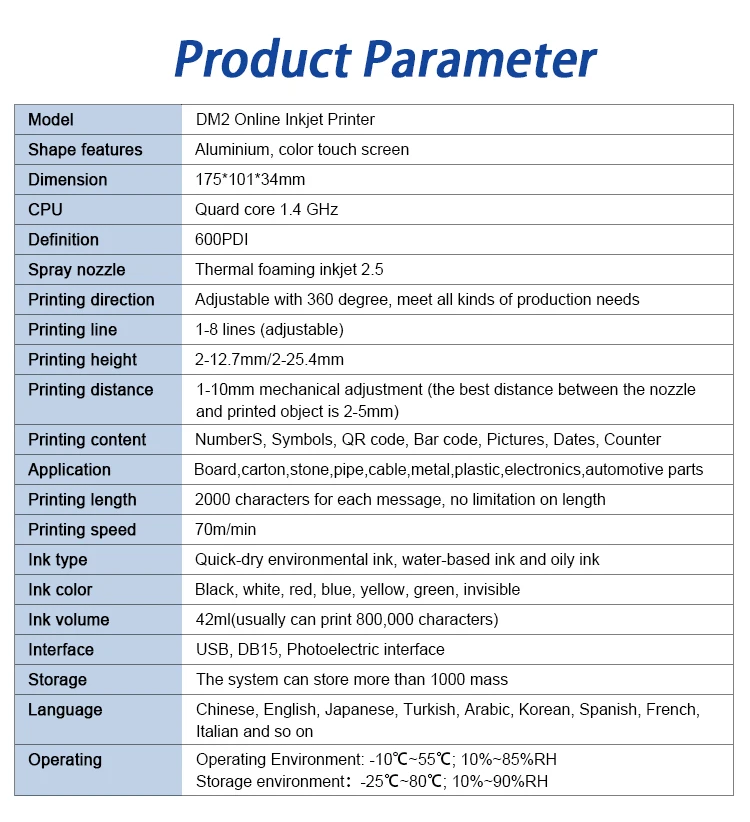
--Product Name: Online Inkjet Printer.
--Input Power: 24V/4A, 96W (Dedicated Power Adapter).
--Print Speed Resolution: Standard 600DPI.
--Controller Net Weight: 454g.
--Printable Height: 2-12.7mm.
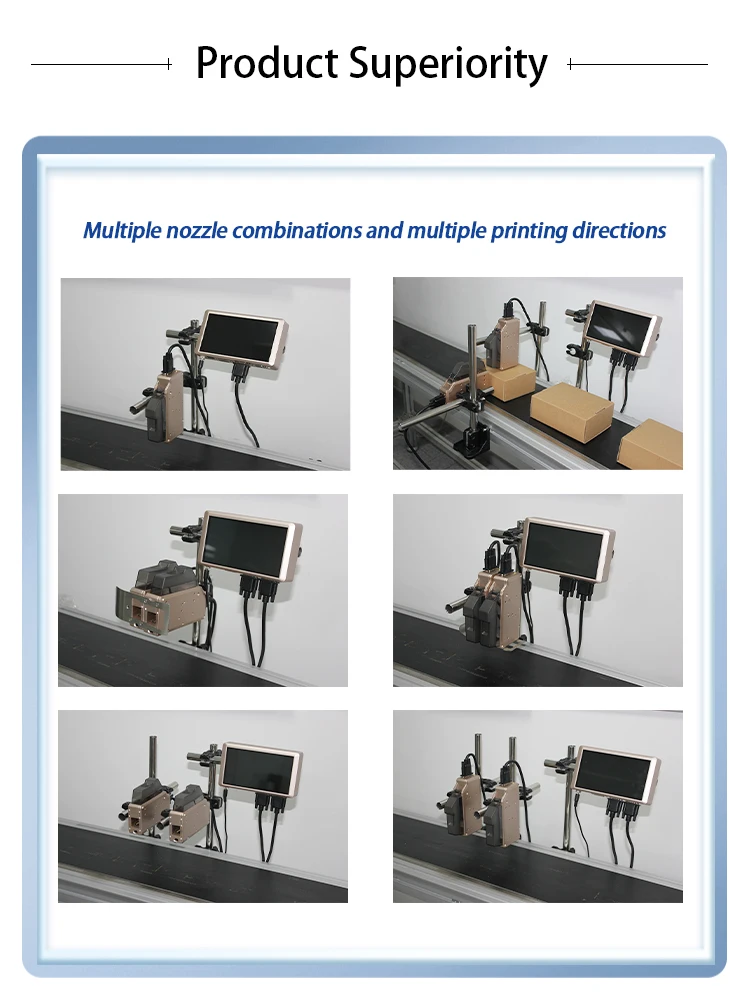
--Printhead: 1 pc / 2 pcs
--Operation System: Linux.
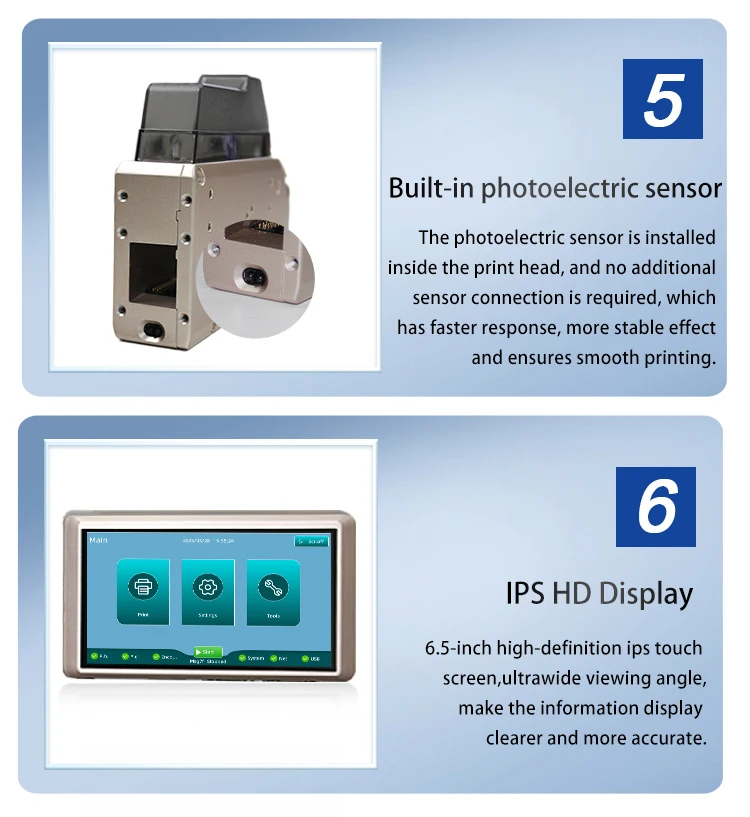
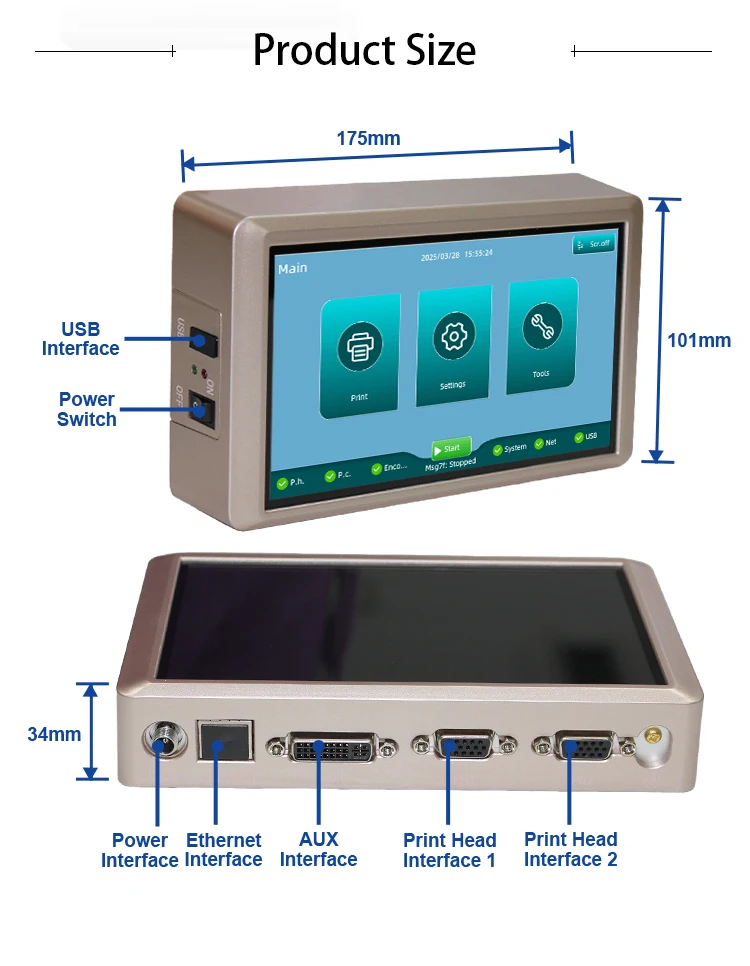
--Screen: 6.5inch capacitive screen with 800*480 resolution.
--Interfaces: Ethernet interface, USB, DVI Interface, Adapter box interface, Extended Adapter Box Interface, DC Interface, DB15 Interface.
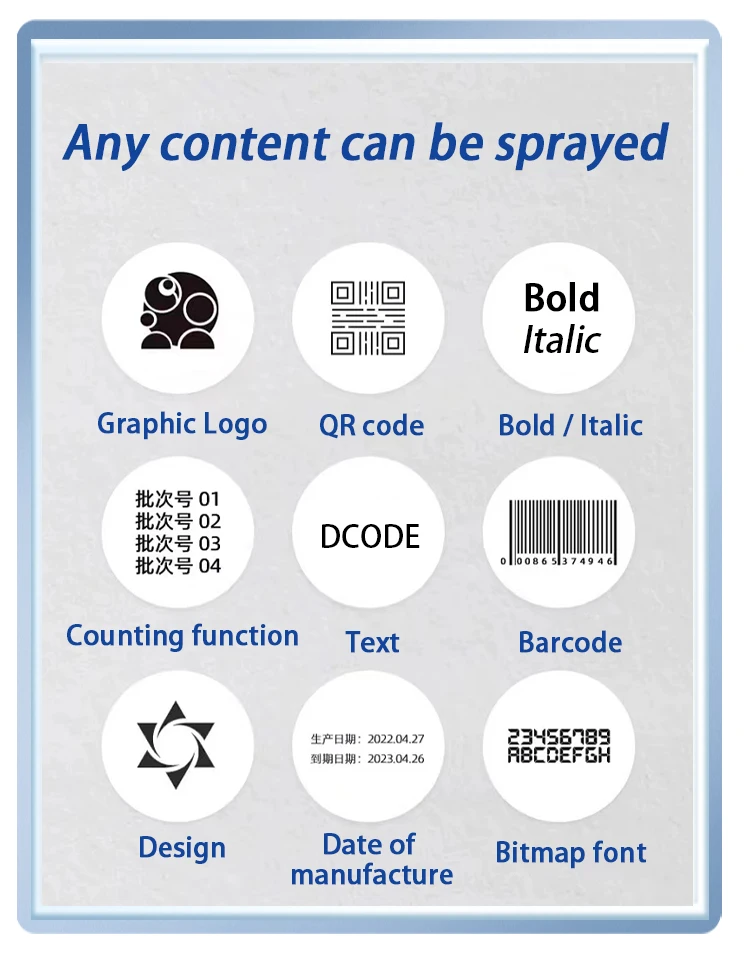
--Printable Content: Barcodes, letters, numbers, Chinese characters, images, date, team code, counter, graphics, dynamic next, scanner input, database.
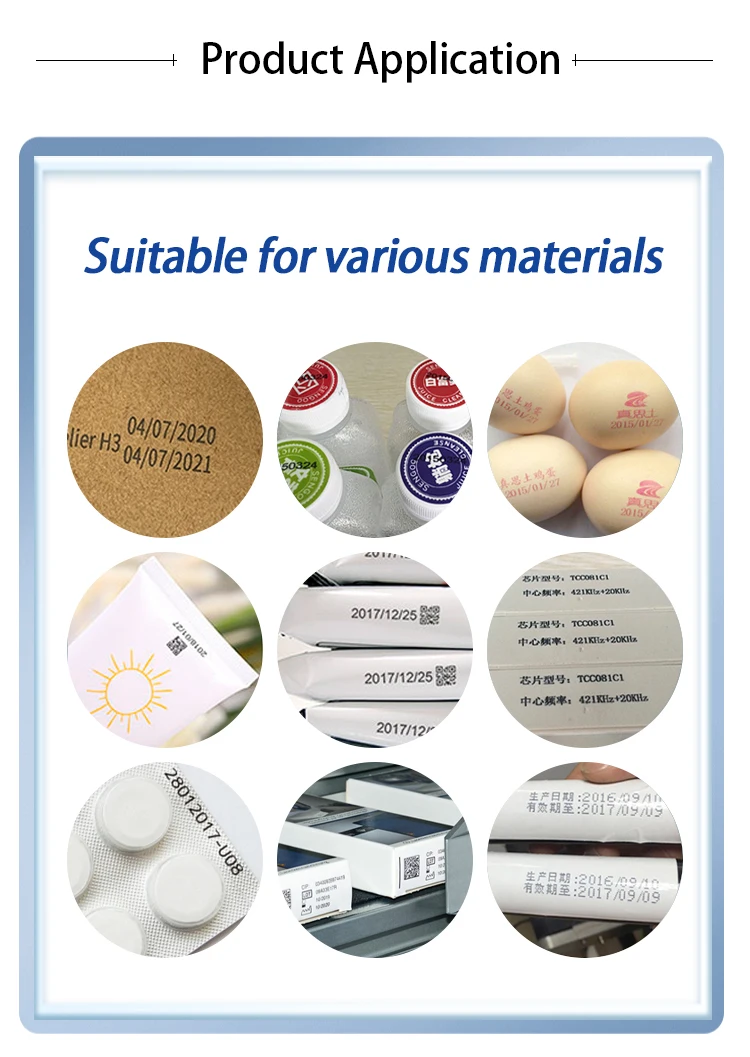
--Printing Material: Wood, Carton, Pipe, Cable, Metal, Plastic, Uneven surface, etc.
Product Advantage:
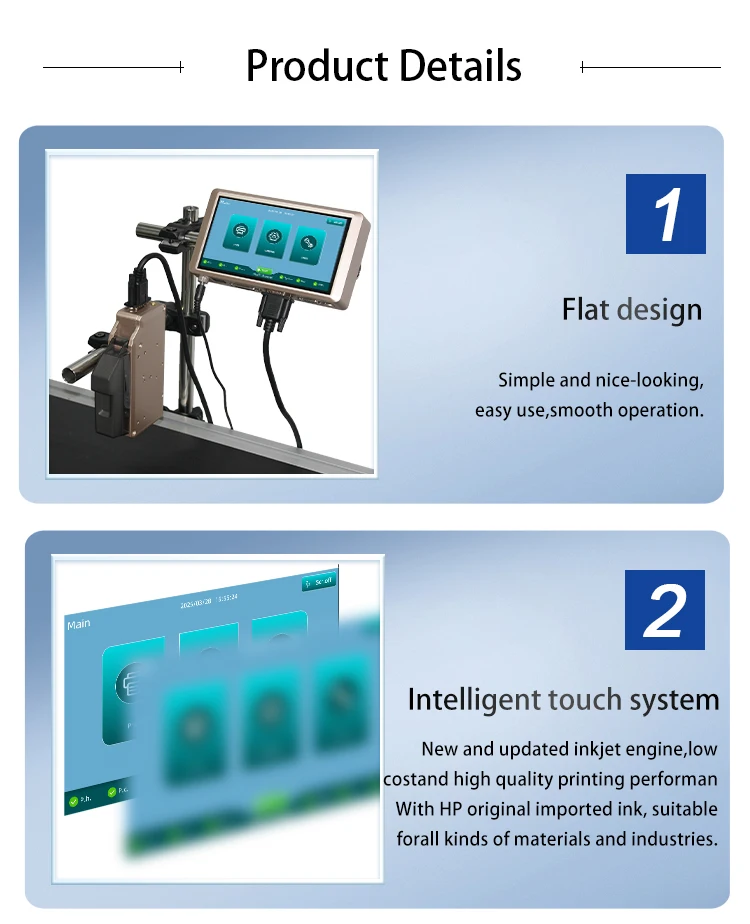
--Industrial Appearance Design: Beautiful and tidy, adhering to ergonomic principles.
--6.5inch Capacitive Screen: Vivid color display for clear visuals and responsive interactions.
--Autonomous Coding & Customization: Built on a robust Linux-based architecture, it’s stable and reliable operation. Engineered for 24/7 continuous printing, the Linux-driven system ensures minimal downtime and secure data processing.
--Intelligent Operating System: Easy to operate, no need to download APP to connect to mobile phone.
--Supported Languages: Chinese, English, French, German, Spanish, Portuguese, Prussian, Korean, Japanese, custom languages available upon request.
--Supported Fonts Default: Sans Inclusive font; customers can install their own required fonts.
--Various Application Industries: Can print curved and concave-convex surfaces, suitable for many materials.
--Adjustable Print Height: Suitable for different scenarios. One or two print heads can be installed according to actual needs.
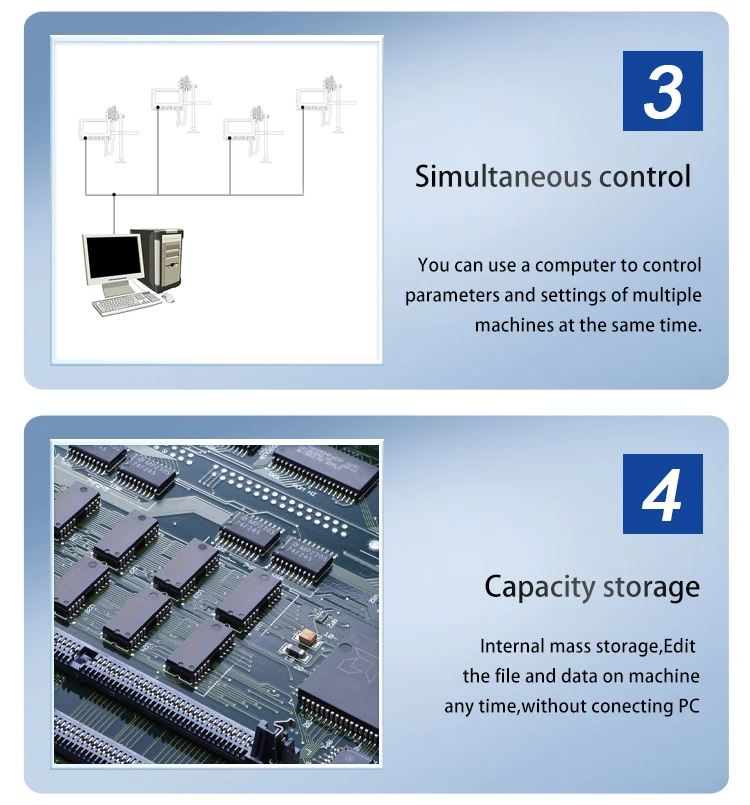
--Upgraded Chip: 4-Core CPU, more intelligent and fast-response, built-in storage, no USB flash drive required, can be directly connected to the computer.
--One-click Printing: 600DPI maximum print resolution, 360° all-round printing.
--Factory Direct Sales: Flexible customization including OEM services and personalized encryption solutions, product quality assurance and first-class after-sales service.
Why Choose Our Printer?
--Future-Proof: Open-source adaptability meets evolving needs.
--Smart Connectivity: Print from anywhere, anytime.
--Stability: Linux backbone guarantees uptime and security.
Please Note:
The price of orders shipped from China does not include import taxes. DDU!!!
HS CODE 8443321300 to check duty.
We only charge the product price and shipping cost, so you need to pay the import tax to your local customs when your package arrives.
Tips:
1. When the Team only selects a single nozzle in P1/P2 mode, the message created can only be printed by a single nozzle.
2. When the Team selects multiple nozzle modes, the first row of data corresponds to the printing content of the first nozzle in the Team, and the second row of data corresponds to the printing content of the second nozzle in the Team, and so on.
3. The device can save up to 500 entries (the actual number of data entries that can be created is affected by the size of the data). Once the limit is reached, no more message can be created or imported
4. When the newly created data has no edited content, exiting without saving will discard the data (empty or erroneous data cannot be saved).
Inkjet Printer Maintenance and Care
--Clean the ink cartridge, wiping the nozzle surface with a non-woven fabric to keep it clean and unobstructed.
--Keep the touchscreen clean, and avoid using hard object to poke it.
--Keep the device surface clean, including all device interfaces.
--Upon startup, confirm that the printer’s status bar displays normally, with no alarm alerts.
--After shutting down the printer, always remove the ink cartridge, wipe the nozzle surface with a non-woven fabric, use the special cartridge cover to seal the nozzle, and place it in a safe environment.
Ink Cartridge Maintenance and Care
--For unopened ink cartridges, keep them in the original unopened packaging until ready for use. Once the cartridge is opened and exposed to air, the ink will inevitably start the evaporate. Therefore, keeping unopened ink cartridges in their original packaging will allow for longer storage.
--Once an ink cartridge is opened, the nozzle will remain usable for a limited time. It is recommended to use the ink as soon as possible after opening to avoid nozzle clogging.
-- If an opened ink cartridge is not used completely, it must be removed from the printer, sealed with the special ink cartridge cover provided by our company, and stored in an airtight container (at room temperature).
--The nozzle surface is very delicate; DO NOT use hard or rough objects to wipe it, as it may cause scratches.
--When wiping the nozzle, use non-woven fabric. Tips: When wiping the nozzle, lay the cloth flat on a table, keeping it smooth, with the nozzle facing down. Wipe vertically along the two columns of nozzles. NEVER wipe the nozzle horizontally, as this may damage it.
--Do not shake the ink cartridge or place it in a vibrating environment, as vibration may create bubbles inside the cartridge, affecting the print quality.
Inkjet Printer Common Issues and Solutions
1. Unable to Power On
---No power input to the printer
Confirm if the power connection is stable and functioning properly.
---Printer power switch is not turned ON.
Check if the power indicator light is in the "ON" state.
---Device is damaged
Contact your local distributor or our after-sales service department for assistance.
2. Unable to print
---Printing is not activated.
Verify if the printing status is set to "Printing On".
---No print data selected.
Select a print data entry and activate "Printing On".
---Excessive printing delay causing late printing.
Check if the print delay settings are correct.
---Cartridge installed but is empty or damaged.
Confirm if the cartridge is empty or has an incorrect customer code. If so, replace it with a new cartridge. If the cartridge is empty or has an incorrect customer code, replace it with a new cartridge.
---No signal from the photocell sensor.
Verify the sensor by entering the printing report screen to check the production counter. You can also click the photocell sensor icon in the status bar to enter the sensor testing interface and verify its functionality.
About Prime Living
Prime Living is a Canadian online store offering a carefully selected range of quality products for home, automotive, tools, outdoor living, electronics and more.
We are committed to fast order processing, secure packaging and reliable tracked shipping to provide an excellent shopping experience.
Shipping policy
We carefully handle each order to ensure your package arrives quickly and safely. Please note that factors such as weather, postal traffic, or carrier performance may occasionally cause delays beyond our control.
We provide free shipping and dispatch all orders within 2 business days of payment, often sooner. All shipments are sent via international express air shipping, with a tracking number provided so you can follow your order every step of the way.
. Please provide a physical address, as we do not ship to P.O. Boxes.
Returns
Your satisfaction is important to us. Hexlight offers a 14-day Free return policy: if you are not fully satisfied with your purchase, you may request either a full refund or an exchange. All return shipping costs are fully covered by us.
Condition
Brand New
Shipping
This item is shipped directly from our supplier in China with tracking.