
Product Description
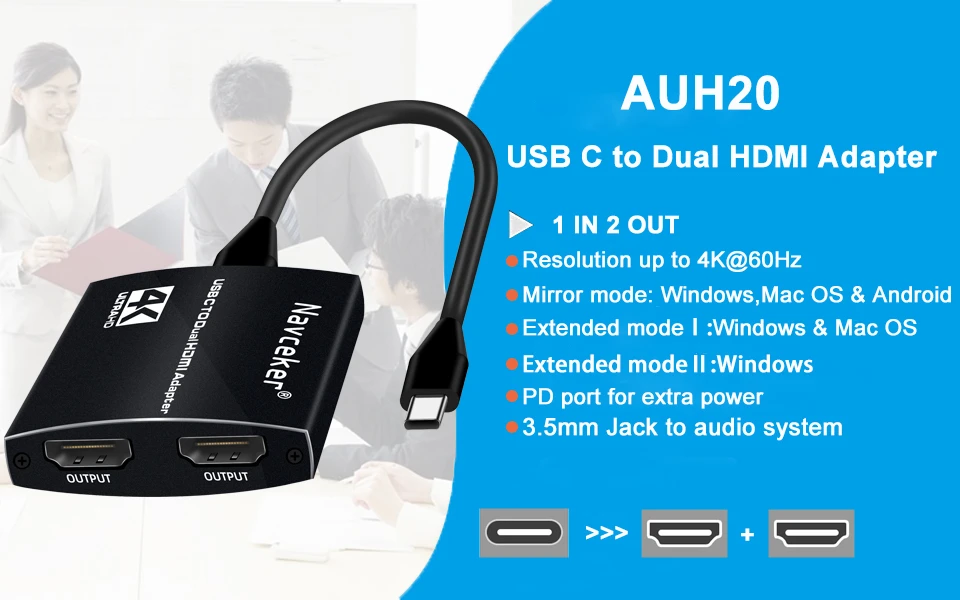
USB C to 2 HDMI Dual 4K Displays Digital AV Adapter for 2020-2016 MacBook Pro, Mac Air/iPad Pro, Dell XPS 13/15,Surface Pro 7/Go USB C to 2 HDMI Dual 4K Displays Digital AV Adapter for 2020-2016 MacBook Pro, Mac Air/iPad Pro, Dell XPS 13/15,Surface Pro 7/Go
If you like our products please you add to cart or add to Favorites,Surprise coupons is waiting for you to extract,
more refined small gifts free to send, please contact customer service.
If you follow our store and become our fans, you can get extra 5% discount for some designated products.
Description:
ZY-AHU20,Navceker 1-in-2 Multifunction USB-C to dual HDMI Hub with Power Delivery and 3.5mm jack is an ideal solution for laptops and other devices with an available USB-C port or Thunderbolt 3 (USB-C) port. It enables you to charge your MacBook Pro, MacBook, Google Chromebook Pixel or other USB Power Delivery supported Type-C devices with their original charger while simultaneously streaming videos via either the HDMI output port and transferring files through the USB 3.0 ports.
Features:
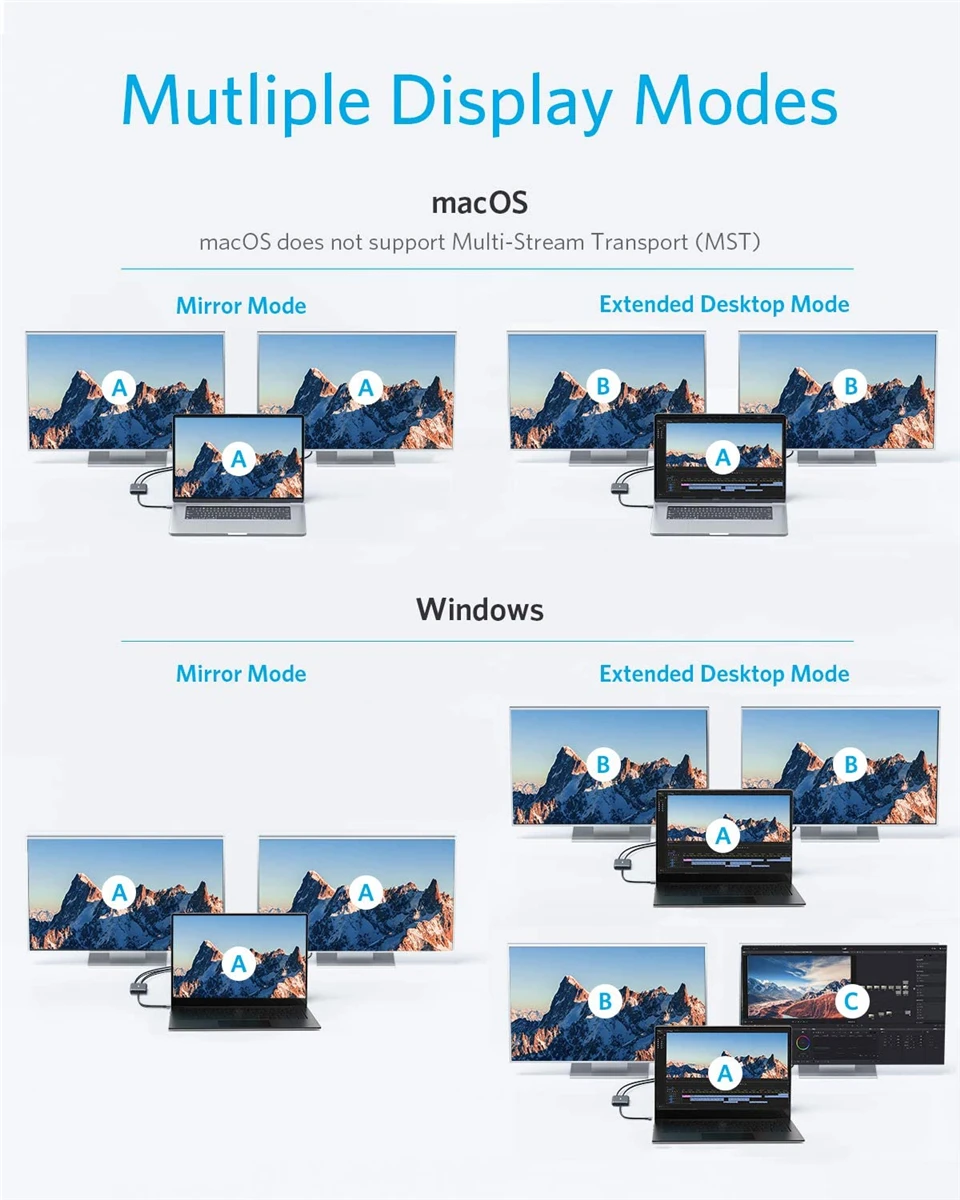
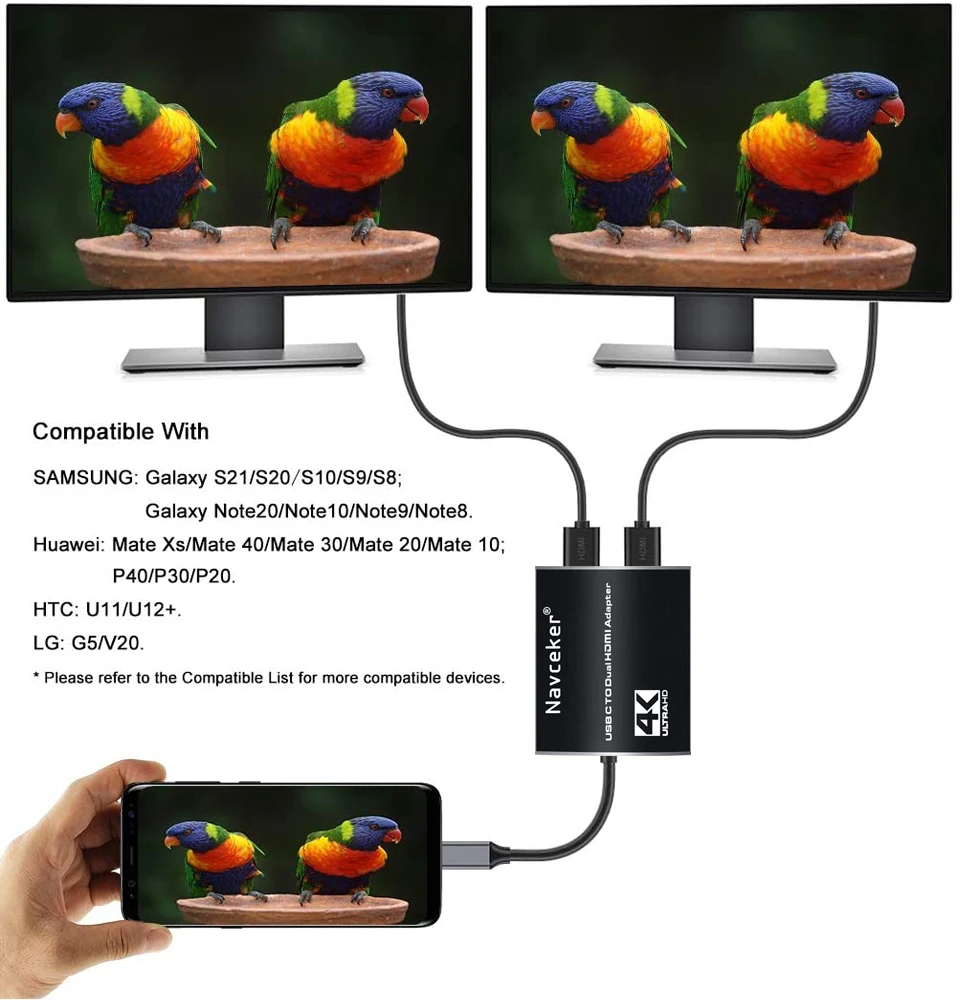
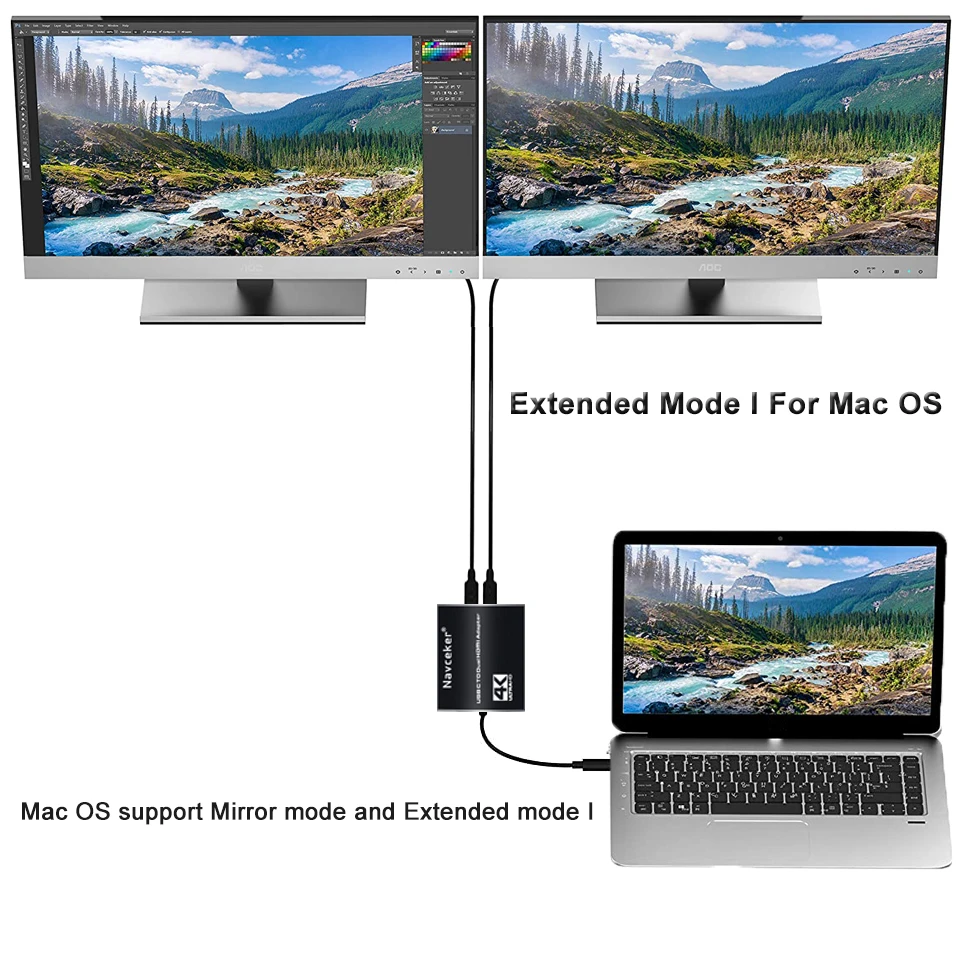
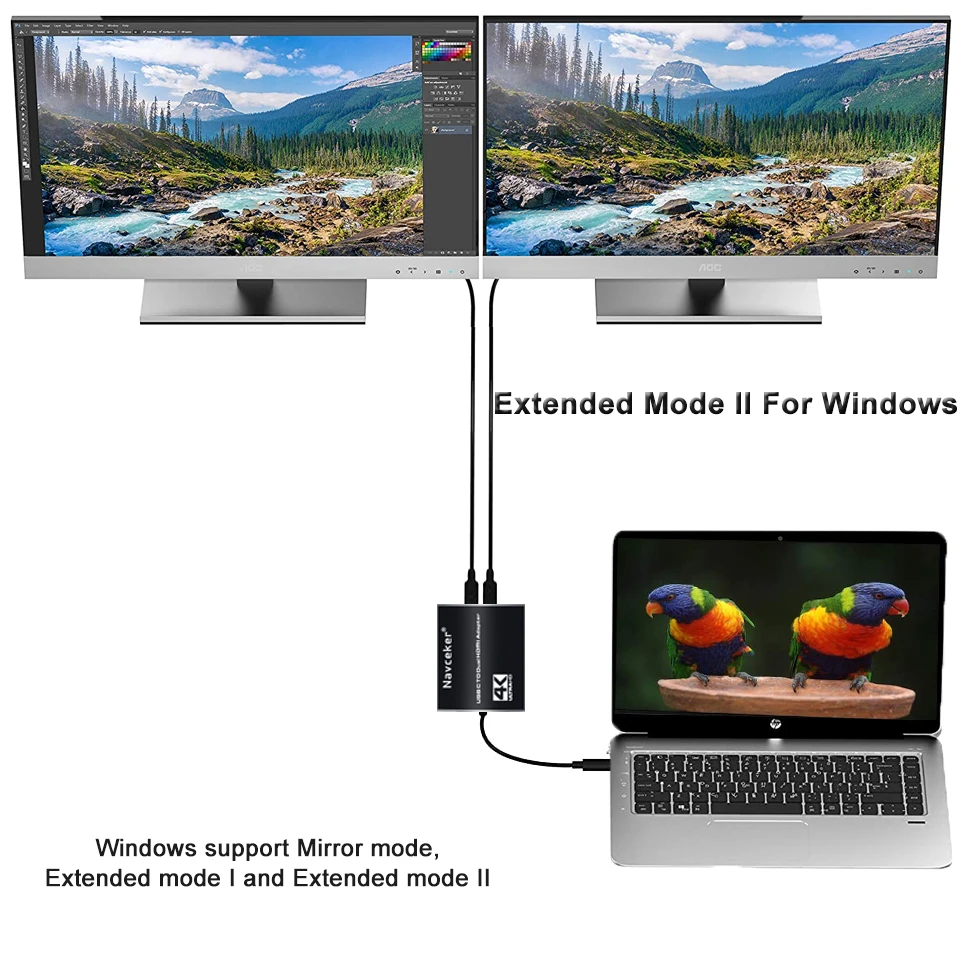
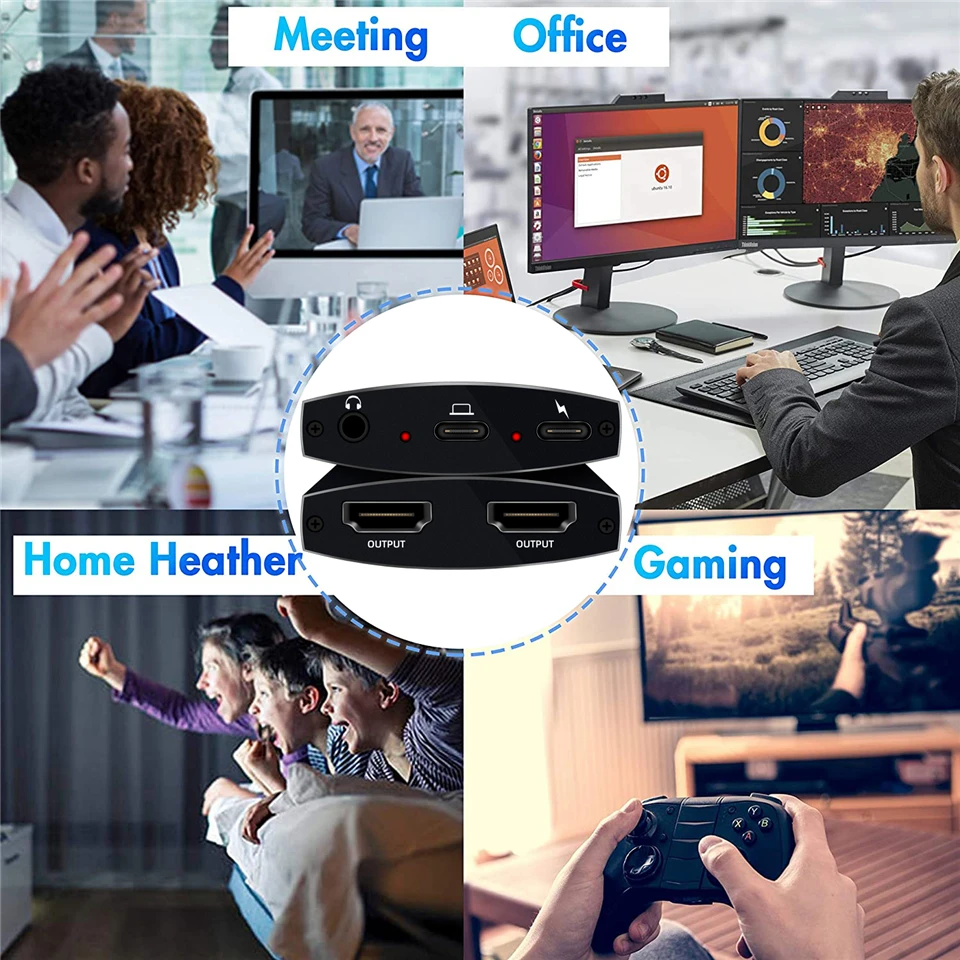
USB-C to Dual HDMI Adapter 2 in 1: ❤️Attention: For Mac OS, it ONLY Mirror Mode, Can't extend two different Screen, due to Mac OS limitation; Connect device with USB Type C (tunderbolt 3) port to two external monitors with 4K HDMI output; You can enjoy movies,games with your families on external ultra HD big screen; Windows OS supports both SST and MST mode, if you not sure how to setting, please contact us, or download the user guide in Product information->Product information.
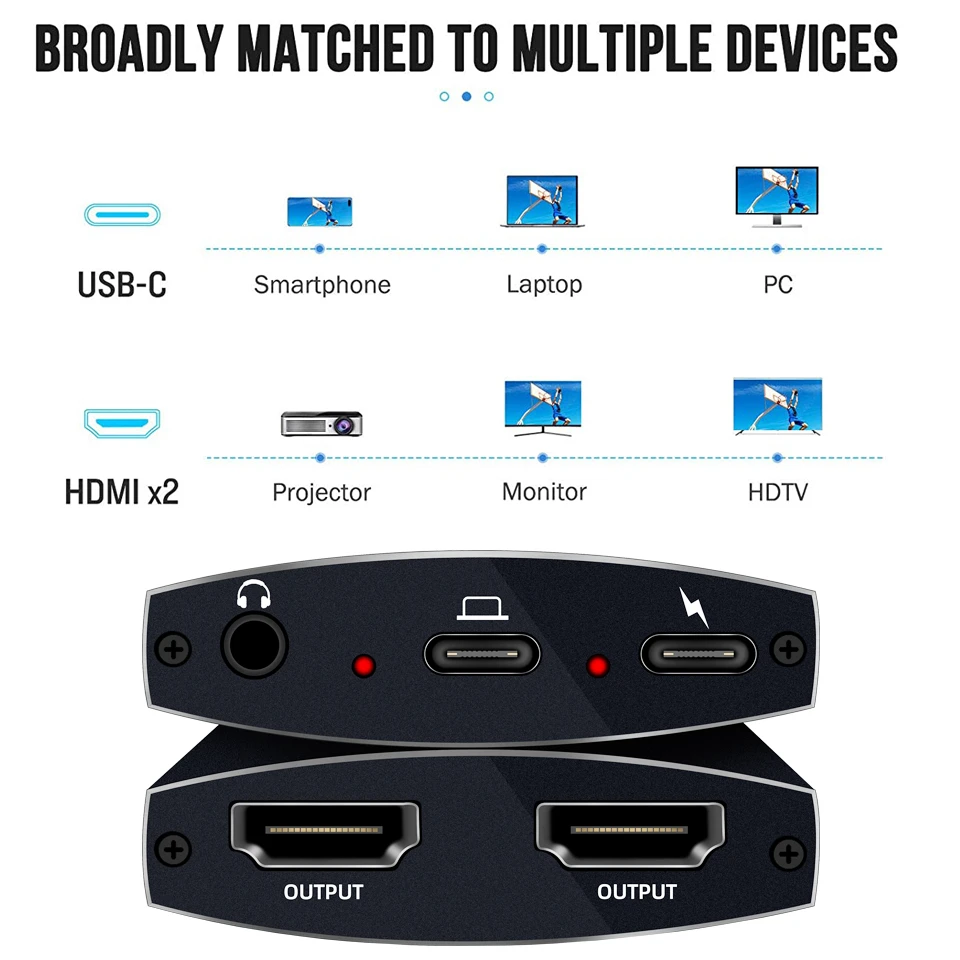
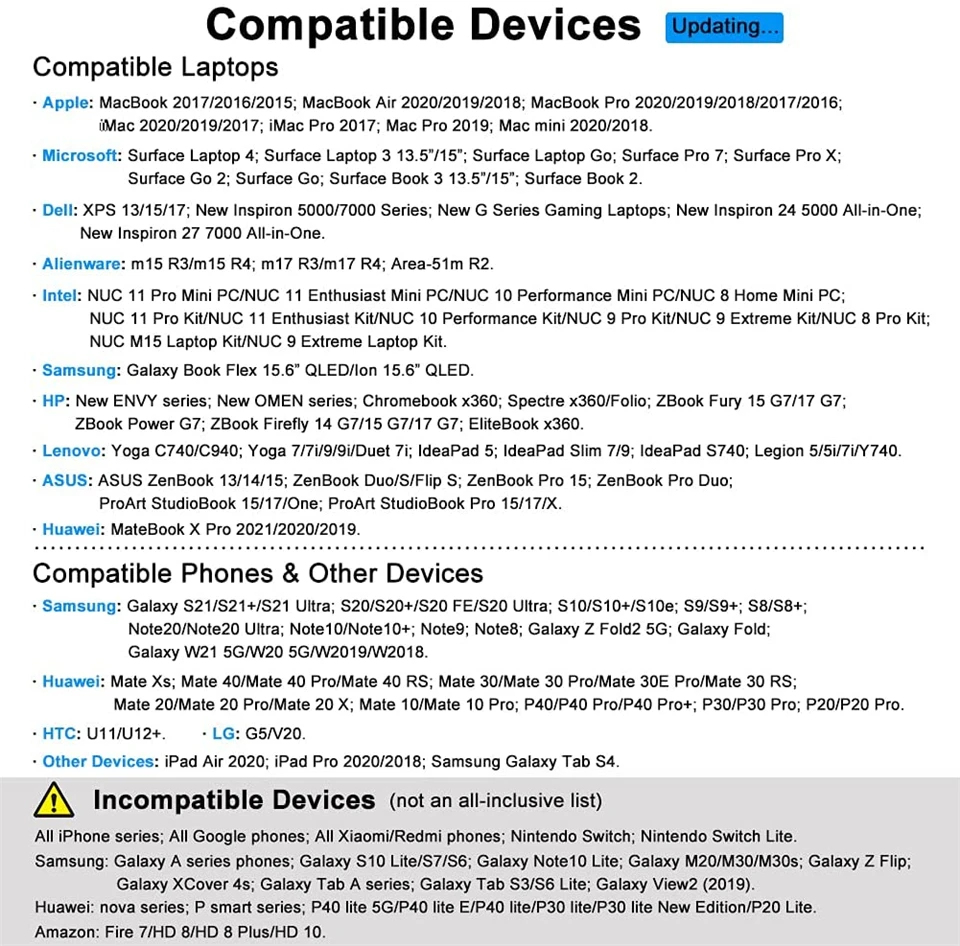
Wide Compatibility: ❤️(Note: NOT for all USB-C port laptop, such as this adapter CANNOT work with HP Pavilion/Lenovo IdeaPad, You need to confirm that your host device's C port supports video output or DP Alt Mode, and you can normally see the DP-logo next to the port if this is the case, ).This HDMI Reader works well with Thunderbolt 3 compatible devices,such as MacBook/MacBook Pro2020 2019 2018 2017,MacBook Air2020-2018,iPad Pro 2018 ,Dell XPS13/15,Samsung Galaxy S9/S9+,etc
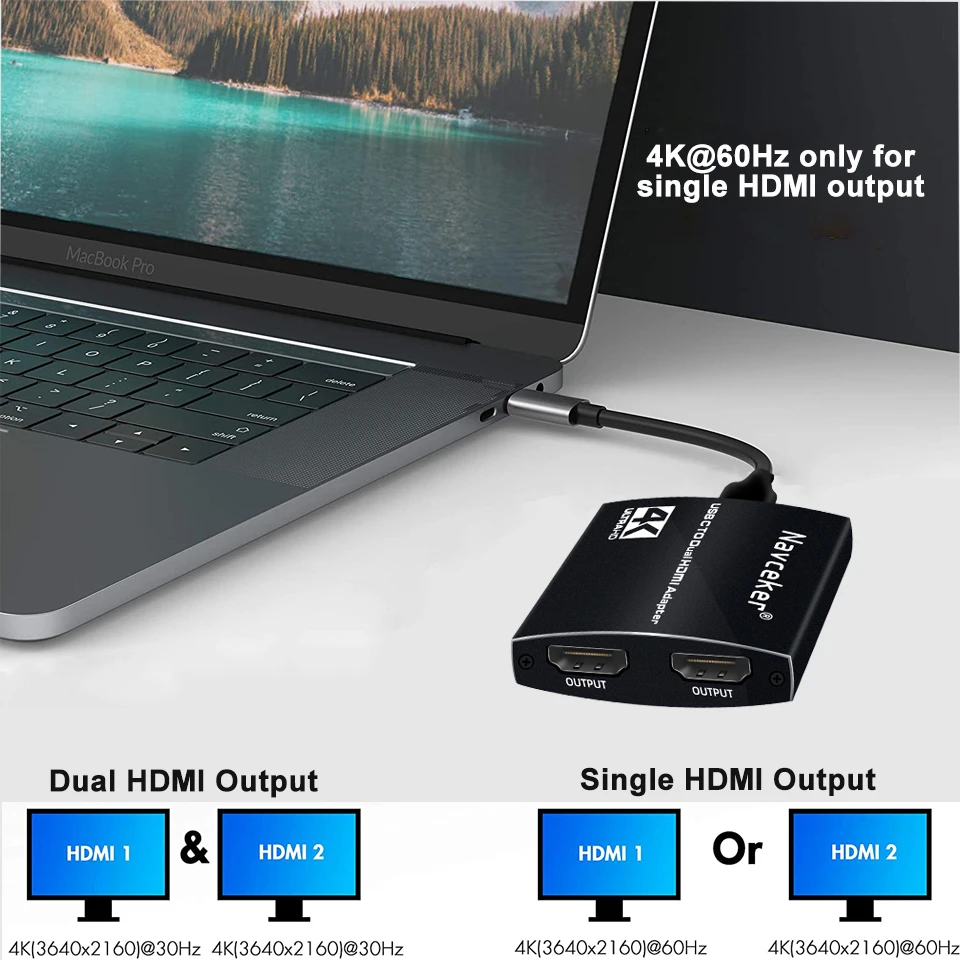
Vivid 3D Effect Video Sync: This usb c to hdmi adapter resolution up to 4K(3840X2160P@60HZ), dual monitor with HDMI at 3840x2160@30Hz; Dual monitor USB C adapter also support 1440p and 1080p at 60Hz offered by the DisplayPort MST technology; with this high-performance USB-C adapter when you play games the screen without any millisecond delay.❤️ (Important: ONLY when your devices support 4K resolution, the video output will be 4K,please make sure to use a HDMI 2.0 cable or better.)
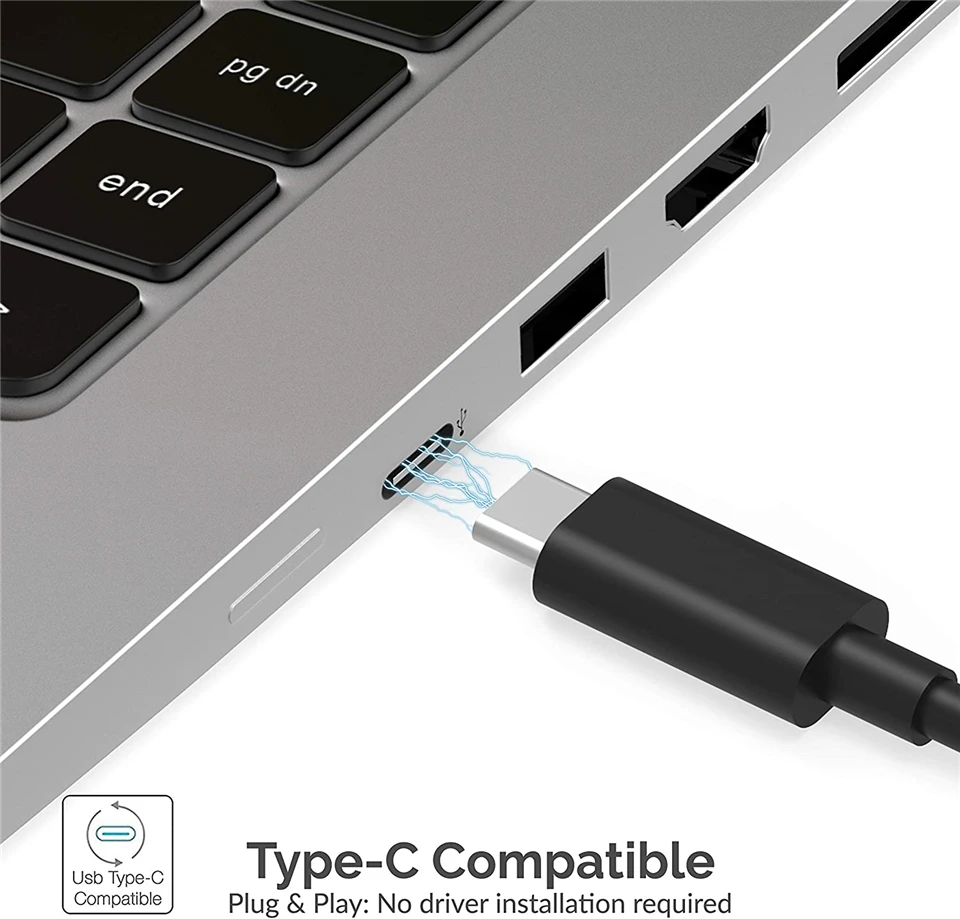
Hassle-Free Setup: Multi-stream transport offers an easy setup by natively working on device that supports DP Alt Mode over USB Type-C; plug-and-play, no drivers or software required.❤️ (NOTED:Please connect the monitor (HDMI port) first, then the laptop (usb c port), You may need to change the settings of "the default audio output device" on system preferences to deliver sound.)
What you get a: 1* USB Type C Adapter, 1* User Manual
This Dual HDMI USB C Adapter ONLY work with those devices that the USB Type C Port supports video output or DP Alt Mode.
Before you purchase it, Please Attetion:
1.Please check if your laptop owns a USB Type-c Thunderbolt 3 portand support DisplayPort Alternate Mode.
2.On Mac devices, ONLY support Mirror Mode, CAN NOT extend two different Screen, due to Mac OS limitation.
Compatible with (Tested):
For: MacBook/ MacBook Pro (2020/2019/2018/2017/2016), Macbook Air 2018-2020, Mac mini 2018-2020, iPad Pro 2018
For: Dell XPS12(9250) /Dell XPS13(9350) /Dell XPS15(9550), Dell Latitude 13 7000/Latitude 13 E7370
For: Lenovo Yoga 720-13IKB/ Yoga 900-13ISK/ Yoga 910/ Yoga 920/ Yoga 930
For: LG G5, LG gram 14Z990-V.AA52C
For: HP Spectre Laptop 13-af001TU 13'' ASUS Zenbook UX330UA
For: Microsoft Surface Book 2/ Surface Go/ Surface Laptop 3
For: Huawei Macbook Mate10/ Mate10 pro/ Mate20/ Mate20 pro / Mate30/ Mate30Pro
For: Samsung Galaxy S10+/S10/S9+ /S9 /S8+ /S8 Plus, Note 10 / 9 / 8
Can NOT work with (Tested):
HP EliteBook 745 G4 / HP Elitebook 820 G3 / HP EliteBook 828 G4 / HP 14s-be102TX / HP 14-ce1004TX 14 / HP Probook 650 G2 / HP Probook 455 G4 / HP Probook 430 G5 / HP Pavilion-14 bf116tx / HP Pavilion 15 ck009 / HP Pavilion Power Laptop 15-cb / Lenovo ideapad 340s, Tablets / Google Pixel phones / Nintendo Switch / Acer Aspire A5 / Oneplus 5T Phone
If your laptop not included in the list,please let us know, we are very gladly to help you check if the adapter can work with your device.
Dual Video Resolution Configurations:
3840x2160@60Hz = 2 display / 3840x2160@30Hz = 2 displays / 2560x1440@60Hz = 2 displays / 1920x1080@60Hz = 2 displays
Please Noted: The final resolution of HDMI output depends on your host devices, (Only when your devices support 4K resolution, the video output will be 4K).
FAQ:
How to switch Mac device to Extend Mode?
"Setting" → "Display" → click the "mirror display" box to switch to Extend mode → then you can drag a window of website/movie to the rightest side of your desktop screen until it disappear on your desktop screen and show up on the external monitor screen.
( Important Note: As Apple company itself limited, for Mac OS devices use in extend mode, the image on the two external screens will be the same.)
How to connect Extend Mode for Windows OS?
Right-click desktop→ select Intel display Settings → pop-up Settings screen select display→ select multi-screen display→ expand the desktop
(If the display 3 is not display, please to manually select the display→click apply confirm can set OK).
If one of display does not display, How to do?
Right click desktop > Graphics Settings > Select One or More Active Displays.
Friendly Reminders:
Different systems' setting may be slightly different,If you are not sure how to operate, please feel free to let us know ,we are very gladly to help you; or you can download the (User Guide) in Product information>Technical Specification.
Make sure the Type C port of your host device supports video output (some for data only), Please reset the default audio output device if you want to play audio via the HDMI devices.
Not Support Mac devices to output two split screens, including: MacBook Air / Pro, iMac, etc.
About Prime Living
Prime Living is a Canadian online store offering a carefully selected range of quality products for home, automotive, tools, outdoor living, electronics and more.
We are committed to fast order processing, secure packaging and reliable tracked shipping to provide an excellent shopping experience.
Shipping policy
We carefully handle each order to ensure your package arrives quickly and safely. Please note that factors such as weather, postal traffic, or carrier performance may occasionally cause delays beyond our control.
We provide free shipping and dispatch all orders within 2 business days of payment, often sooner. All shipments are sent via international express air shipping, with a tracking number provided so you can follow your order every step of the way.
. Please provide a physical address, as we do not ship to P.O. Boxes.
Returns
Your satisfaction is important to us. Hexlight offers a 14-day Free return policy: if you are not fully satisfied with your purchase, you may request either a full refund or an exchange. All return shipping costs are fully covered by us.
Condition
Brand New
Shipping
This item is shipped directly from our supplier in China with tracking.